



What Is Claude SEO Automation? The Direct Answer
Quick answer: Claude SEO Automation is a packaged Claude workflow that turns one typed keyword into a researched, quality-checked, published, indexed and tracked WordPress page, written for Google rankings and for AI answer engines, so a small team can publish consistently without a monthly agency bill. However, it is a tool you run, not a promise of positions, and results still depend on competition and time.
Last updated: 21 November 2026 · By Saravanan Thiyagarajan (Digital Saravanan) · Founder & CEO, DigiMonk Agency & Academy · 40-minute read
This guide explains the whole picture in plain language: what SEO, AEO and GEO mean now, how the workflow runs, what it costs, what it needs and who should skip it. Saravanan Thiyagarajan (Digital Saravanan) is the Founder & CEO of DigiMonk Agency & Academy in Chennai, with 10+ years in digital marketing, 250+ clients in 12+ countries and 12,000+ learners trained. Also, he built the workflow for his own website first, so every claim below comes from daily use rather than a sales deck.
| Question | Short answer |
|---|---|
| What it is | First, the /ds-seo Claude Skill: one command runs a 10-step SEO + AEO + GEO publishing routine |
| Who it suits | Also, business owners, freelancers, agencies and home-based entrepreneurs with a WordPress site |
| Platform | WordPress with Yoast SEO; other platforms should message before booking |
| What you need | In addition, a paid Claude plan, Search Console, Bing Webmaster Tools and a Google account |
| Languages | Moreover, one-to-one guidance in English or Tamil |
| Price | One time — see price section |
| Contact | Finally, WhatsApp +91 8220254450 |
Questions about Claude SEO Automation? WhatsApp Saravanan: +91 8220254450
Key Takeaways
- First, Claude SEO Automation replaces a scattered checklist with one repeatable command that runs research, writing, checks, banners, publishing, indexing and tracking.
- Also, a code-measured quality gate of 14 checks decides whether a page goes live, and a failing page stays a draft.
- Moreover, the workflow only creates new pages, so your existing content is never touched.
- In addition, you pay once for the workflow and setup, while your Claude plan and hosting stay with those providers.
- However, no tool controls Google or AI answers; treat every ranking example as a dated snapshot.
- Finally, it suits WordPress sites that can publish new, useful pages regularly, and it does not suit people who want someone else to do everything forever.
Who Is This Claude SEO Automation Guide For?
This guide is for buyers who want to understand Claude SEO Automation before spending money: owners who need enquiries from their own site, freelancers who sell SEO, agencies that want more output per person, and home-based founders. Therefore, it explains the method, the limits and the costs, then points you to deeper guides.
Because this is a pillar page, each major topic gets a summary here and a link to a dedicated guide. For example, the full operational walkthrough of a single run, the cost comparison over three years and the setup service each have their own page, listed in the guides section near the end.
Also, this page is different from the expert profile at best Claude SEO automation expert in India, which helps you choose a person. Here, the subject is the method itself, which you can judge on its own merits wherever you live.
SEO, AEO and GEO in 2026: What Do the Three Terms Mean?
SEO earns visibility in classic search results, AEO shapes a page so a search engine or assistant can lift a clear answer from it, and GEO helps generative engines such as ChatGPT, Gemini, Claude and Perplexity cite your brand. In practice, one well-built page can serve all three, because the same clarity helps every system.
SEO: Earning a Place in the Classic Results
Search engine optimization still starts with a crawlable page that matches what the searcher wants. Therefore, the basics stay the same: a precise title, one clear topic per URL, helpful depth, fast loading, internal links and clean metadata. Also, SEO remains the foundation for the other two, because AI features usually draw on pages that search engines have already indexed.
AEO: Shaping Pages So They Become the Answer
Answer engine optimization means writing so a machine can quote you without rewriting you. For example, a question heading followed by a 40-60-word direct answer gives a featured snippet, a voice assistant or an AI summary a clean block to reuse. Moreover, tables and numbered steps make comparisons and processes easy to extract.
GEO: Helping Generative Engines Cite Your Brand
Generative engine optimization focuses on being named and linked inside AI-written answers. In practice, that depends on consistent facts about who you are, quotable statements, visible author expertise and mentions across the web. However, nobody can force a citation, so GEO is about improving the odds, not controlling the outcome.
What Google Itself Says About AI Overviews and AI Mode
Google’s own documentation on AI features and your website states: “There are no additional requirements to appear in AI Overviews or AI Mode, nor other special optimizations necessary.” Also, a page must be indexed and eligible to show with a snippet to appear as a supporting link, and Google says indexing and serving are not guaranteed.
The same page describes “query fan-out”, where AI Mode and AI Overviews may issue multiple related searches across subtopics to build a response. For this reason, the Claude SEO Automation research step collects related “fan-out” questions and answers them on the page. In addition, Google notes that traffic from AI features appears inside the normal Performance report in Search Console.
| Layer | Main goal | What the page needs |
|---|---|---|
| SEO | Also, rank in classic results | Clear topic, title, depth, links and metadata, because crawlers read structure |
| AEO | Next, become the quoted answer | Question headings and short direct answers, because extractors prefer clean blocks |
| GEO | Finally, get named in AI answers | Consistent entity facts and author proof, because models weigh trust signals |
Want the AI-answer side in depth? The AEO and GEO automation for AI search guide covers it, and the generative engine optimization expert page explains the service side.
Why Does Manual SEO Stop Scaling for Small Teams?
Manual SEO stops scaling because one good page involves seven or more separate jobs, and each one has a skill gap or a forgotten step. Consequently, small teams publish rarely, skip indexing requests and lose track of which page targets which keyword, even when the writing itself is strong.
The table below is an illustration, not a measurement. Your own times will differ, so replace them with what your team actually spends.
| Task for one long page | Illustrative manual time | Why it drags |
|---|---|---|
| Duplicate and keyword check | 20-40 minutes | Also, someone must search the site, drafts and tracker by hand |
| SERP and question research | 60-90 minutes | Because top results, AI answers and related questions all need reading |
| Writing a long page | 3-5 hours | In fact, depth and structure take the most effort |
| On-page setup and metadata | 30-60 minutes | Moreover, plugin fields, slugs and headings need care |
| Banners and alt text | 30-60 minutes | In addition, design tools and compression add steps |
| Publishing and live checks | 20-30 minutes | However, many teams skip canonical and schema checks |
| Indexing and tracking | 15-25 minutes | Finally, this is the step most often forgotten |
The Hidden Cost Is the Steps People Skip
Time is only half the problem. In practice, the bigger loss comes from skipped steps: a page published without a cannibalization check competes with an older page, a page without an indexing request waits longer to be discovered, and a page missing from the tracker never gets reviewed. Therefore, consistency matters as much as speed.
Also, quality drifts when tired people repeat a long checklist. For example, meta descriptions creep past the limit, headings skip levels and paragraphs grow long. A workflow that measures these things with code removes the drift, because the same rules apply on page one and on page five hundred.
Why a Claude Prompt Alone Does Not Fix SEO
Many owners try a chatbot first and paste the result into WordPress. However, a single prompt does not check your existing pages, measure readability, build the page, request indexing or log the result. Instead, it moves the writing step faster while leaving the rest of the chain manual, which is exactly why Saravanan packaged the full routine as a Claude Skill.
How Does Claude SEO Automation Turn One Keyword Into a Live Page?
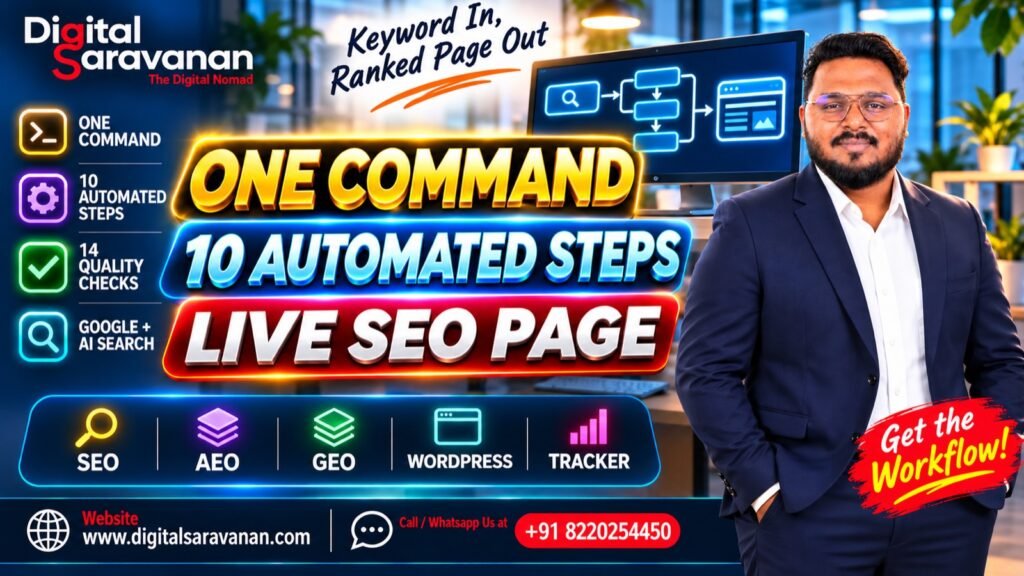
Claude SEO Automation runs ten steps in order after you type one command with a keyword or a batch: check for duplicates, research the results page, write, measure quality, make banners, build the WordPress page, publish and verify, request indexing, then log and report. As a result, the owner’s job shrinks to choosing keywords and reviewing outcomes.
| Step | What happens | What you get |
|---|---|---|
| 1 | First, duplicate and cannibalization check | A clear go or stop, because two pages must not chase one keyword |
| 2 | Second, keyword and SERP research | Top-5 analysis, AI Overview notes, PAA and 8-12 fan-out questions |
| 3 | Third, long SEO + AEO + GEO page | Keyword-led title, H1, intro, headings, answers, FAQ and schema |
| 4 | Fourth, quality gate of 14 checks | Also, a measured pass, or an automatic rewrite |
| 5 | Fifth, branded banners | Real owner photo placed untouched, WebP with alt text |
| 6-7 | Next, WordPress page build | Banners, featured image, Yoast keyphrase, SEO title, meta and slug |
| 8 | Then, publish and verify live | Loads, images, canonical, no noindex, valid schema, sitemap entry |
| 9 | After that, indexing requests | Google Search Console request plus Bing Webmaster Tools submission |
| 10 | Finally, tracker row and email | Moreover, a dated record and a report in your inbox |
The sections below explain each step briefly. For the full, timed walkthrough of a real run, including what a tracker row and email report contain, read the Claude SEO workflow guide.
Step 1: Duplicate and Cannibalization Check
Before writing anything, the workflow looks for an existing page on the same keyword. It searches the owner’s tracker sheet, WordPress pages and drafts, the planned slug and a site: search. Therefore, a business never ends up with two pages fighting for one phrase, which is a common way sites quietly lose rankings.
If it finds a close match, the run stops and reports the conflict instead of guessing. In practice, the owner then picks a different angle or keyword. Also, this step protects the golden rule against touching existing pages, because the safe move is always a new, distinct page.
Step 2: Keyword and SERP Research
Next, the workflow studies the five top results, notes whether an AI Overview appears and what it says, and collects People Also Ask questions. Moreover, it builds 8-12 fan-out questions that an AI system might also search, then lists the gaps the top pages leave open. Consequently, the page starts from evidence instead of a blank prompt.
This research shapes the outline, the FAQ and the information-gain elements. For example, if every top result skips cost or requirements, the new page answers them directly. Similarly, if the AI Overview cites a specific type of source, the page adds clear, quotable facts of that kind.
Step 3: Writing the SEO + AEO + GEO Page
Then Claude writes a long page in the owner’s voice, with the exact keyword in the SEO title, H1, introduction and several headings. Also, the page carries an author box, an at-a-glance table, 40-60-word direct answers under question headings, an FAQ and Article, Person and FAQPage schema. In short, every layer from the previous section appears on one page.
The writing follows the facts stored in the skill’s reference files, such as the owner’s biography, services and approved claims. Therefore, Claude cannot drift into invented awards or numbers. If a fact is missing, the rule is to leave it out or ask, which keeps the page honest.
Step 4: The Automatic Quality Gate
After drafting, scripts measure the page against 14 checks, from word count and keyword placement to readability, links and overlap with the owner’s other pages. However, a failing check does not reach your website; instead, Claude rewrites the weak part and measures again. Because code does the measuring, the result does not depend on anyone’s mood.
The next main section explains each check and why it matters. In addition, the automated SEO page creation guide shows how the gate prevents thin, repetitive pages, which is the main fear people have about AI content.
Step 5: Branded Banners With the Owner’s Real Photo
Next, the workflow creates three banners: AI artwork for the background, the owner’s real photo placed on top without alteration, the logo and readable text. Then it exports light WebP files with descriptive alt text. As a result, pages look branded and human, and image search gets clear signals about the person and topic.
Keeping the real face untouched matters for trust. In fact, a face that changes from page to page looks fake to readers, while a consistent photo builds recognition across your site, social profiles and any AI answer that shows your image.
Steps 6-7: Building the WordPress Page
Then the workflow creates a fresh WordPress page, uploads the banners, sets the featured image and fills Yoast’s focus keyphrase, SEO title, meta description and slug. Moreover, it keeps adjusting until Yoast shows Good for both SEO and Readability. Consequently, the page meets the plugin’s checks before anyone presses publish.
These steps run in the owner’s own signed-in browser, so no password ever changes hands. For WordPress-specific detail such as blocks, Yoast fields and sitemaps, see the AI SEO automation for WordPress guide.
Step 8: Publishing and Verifying the Live Page
After publishing, the workflow visits the live URL and checks it like an inspector. It confirms the page loads, the images appear, the canonical points to itself, no noindex tag blocks it, the schema parses and the URL sits in the sitemap. Therefore, problems surface in minutes rather than weeks later in a report.
If something fails here, the run says so in plain words. For example, a caching plugin sometimes serves an old version, and a quick purge fixes it. In practice, this step catches the small technical slips that manual publishing often misses.
Step 9: Requesting Indexing on Google and Bing
Next, the workflow uses URL Inspection in Google Search Console to request indexing and submits the URL in Bing Webmaster Tools. However, Google’s guide to asking Google to recrawl URLs says crawling can take from a few days to a few weeks, and a request does not guarantee inclusion. So this step speeds discovery; it does not decide rankings.
Also, Bing matters beyond Bing itself. Bing’s IndexNow guide describes pushing new and changed URLs to search engines, with the Bing Webmaster Tools portal used to confirm receipt. In addition, Bing runs its own index, so the workflow submits every URL there as well as to Google.
Step 10: Tracker Row and Email Report
Finally, the workflow adds a row to the owner’s Google Sheet tracker with the title, keyword, live link, word count, Yoast results, indexing status and notes. Then it emails a short report with the same facts and internal-link ideas. As a result, the owner has a permanent, searchable record of every page the system has made.
The tracker also feeds Step 1 of the next run. In other words, the record that proves your work also prevents your next page from duplicating it, which is why the sheet sits at the heart of the system.
Want this workflow running on your own website? See exactly what is included, the 10 steps and the one-time price on the Claude SEO Automation page, or WhatsApp Saravanan.
What Are the 14 Quality Checks in Claude SEO Automation?
The 14 checks are measurable rules that every Claude SEO Automation page must pass before publishing: length, keyword placement and density, title and meta limits, heading order, paragraph length, readability, direct answers, FAQ schema, links, banned phrases, factual claims, overlap and information gain. Together, they target both Google rankings and AI citation.
| Check | Why it matters |
|---|---|
| 1. Word count band | First, it matches the depth that competing pages show for the topic |
| 2. Keyword in title, H1, first 80 words and 2+ H2s | Also, it tells search engines and readers the topic at once |
| 3. Keyword density 1-2% | However, it keeps the topic clear without stuffing |
| 4. SEO title ≤ 60, meta 140-155 characters | Because results pages cut off longer text |
| 5. One H1, no skipped heading levels | In fact, clean structure helps crawlers and screen readers |
| 6. Short paragraphs | Moreover, short blocks read well on phones |
| 7. Flesch reading ease ≥ 50 | Therefore, busy buyers understand the page quickly |
| 8. Five or more direct-answer blocks | Also, AI answers and snippets can quote them whole |
| 9. 6-8 FAQs with valid JSON-LD | In addition, the visible questions and the schema match |
| 10. 3-5 internal and 2-3 external links | Because links show context and support claims |
| 11. No banned AI phrases or placeholders | Instead, the page reads like a person wrote it |
| 12. No invented facts | Above all, trust depends on true claims |
| 13. Under 20% overlap with your own pages | Therefore, each page adds something new |
| 14. Three or more information-gain elements | Finally, the page offers more than the current results |
Reading the Claude SEO Automation Checks Table
Note that numbers such as word count, FAQ count and link count follow the page type. For instance, this pillar guide runs longer and carries more links than a standard page, because it serves as a hub.
Structure Checks: Telling Search Engines What the Page Is About
Checks 1 to 5 cover structure. Together, they make the topic obvious from the title down to the last heading. For example, the keyword appears where Google and readers look first, while the density limit stops the copy from sounding robotic. Also, the title and meta limits keep the search snippet complete on most screens.
Heading order sounds minor, yet it matters. Because a skipped level confuses both crawlers and assistive technology, the gate rejects it. Similarly, a single H1 removes any doubt about the main subject of the page.
Readability Checks: Writing for Busy Humans
Checks 6 and 7 keep the page easy to read. In practice, short paragraphs and a Flesch score of at least 50 mean a shop owner can read the page on a phone between customers. Moreover, plain sentences translate and summarize better, which helps when an AI system condenses your page for someone else.
Answer and Schema Checks: Becoming Quotable
Checks 8 to 10 serve AEO and GEO directly. Direct-answer blocks give an AI system a ready-made paragraph, FAQs answer follow-up questions, and valid JSON-LD keeps the visible text and the structured data in agreement. However, Google says no special schema is needed for AI features, so schema here supports clarity rather than acting as a ticket into AI answers.
Trust Checks: Proving the Page Deserves Attention
Checks 11 to 14 protect trust. In fact, they matter most for long-term results, because they stop the habits that make AI content look cheap: stock phrases, invented statistics, near-copies of your own pages and articles that only repeat what already ranks.
Google’s guide to creating helpful, reliable, people-first content warns that using automation, including AI generation, to produce content mainly to manipulate rankings breaks its spam policies. Therefore, the gate treats usefulness as a hard rule, not a nice extra.
What Does a Finished Claude SEO Automation Page Contain?
A finished Claude SEO Automation page contains a banner, a question-led opening with a short direct answer, an honest caveat, a dated byline, an at-a-glance table, key takeaways, question headings with answer blocks, tables and steps, a quote, an FAQ, a verdict, an author box and schema. Each part has a job for readers, search engines or AI systems.
| Page element | Job it does |
|---|---|
| Banner with real photo | First, it shows a real person stands behind the page |
| Direct answer under the first heading | Also, it gives snippets and AI answers a quotable summary |
| Honest caveat sentence | Moreover, it sets fair expectations, which builds trust |
| Dated byline | In addition, readers and crawlers see freshness and authorship |
| At-a-glance table | Therefore, scanners get the facts in seconds |
| Question headings with answers | Because buyers and AI systems both search in questions |
| Comparison tables and steps | In fact, these are common information-gain elements |
| FAQ with matching schema | Also, it covers follow-up questions in one place |
| Author box | Finally, it links the page to a known expert entity |
Why the Opening Matters Most
The first 100 words do the heaviest lifting. In practice, they must state the topic with the exact keyword, answer the main question and admit the main limit. Also, a reader who gets a straight answer early is more likely to keep reading, and an AI system that finds a clean summary early is more likely to quote it.
Why the Author Box Is Not Decoration
Google’s helpful content guidance asks whether it is clear who created the content and strongly encourages accurate bylines where readers might expect them. Therefore, every page links to the author’s profile with real, consistent credentials. Moreover, the same name, title and city across hundreds of pages give search engines and AI systems a stable picture of the expert.
How Does Claude SEO Automation Keep Your Brand Facts Consistent?
Claude SEO Automation keeps brand facts consistent by storing them once in the skill’s reference files and reading them on every run: your name, business, location, services, credentials, photo and approved claims. As a result, every page repeats the same true details, which helps search engines and AI systems recognize your brand as one entity.
Consistency is a quiet GEO advantage. For example, if one page says ten years of experience and another says fifteen, an AI system may trust neither. By contrast, identical facts across your site, social profiles and directory listings make your brand easier to describe with confidence.
Also, the reference files make updates safe. When you open a new branch or launch a service, you change the fact in one place, and every new page from that day uses it. However, older pages stay as they are, because the workflow never edits them; you update those yourself when needed.
What Is a Claude Skill, and How Does One Command Run Claude SEO Automation?
A Claude Skill is a folder with a SKILL.md file of instructions, plus optional reference files and scripts, that teaches Claude a repeatable job. In Claude Code, you can call a skill by typing a slash and its name, so /ds-seo plus a keyword starts the whole Claude SEO Automation routine from one line.
According to Anthropic’s Claude Code skills documentation, every skill needs a SKILL.md file with YAML frontmatter that tells Claude when to use it, followed by markdown instructions. Also, the documentation says the description helps Claude decide when to load a skill, and the full content loads only when the skill runs. Moreover, a skill folder can hold supporting files and scripts.
Claude is Anthropic’s product. Saravanan’s workflow is his own skill, and it runs on the buyer’s own Claude plan; he does not resell Claude or claim any special status with Anthropic.
What Claude Code and Claude in Chrome Add
Claude Code runs on your computer, reads and writes local files and runs the skill’s scripts, which is how the quality gate measures pages. In addition, Anthropic’s guide to using Claude Code with Chrome says Claude opens new tabs that share your browser’s login state, and that it pauses at a login page or CAPTCHA and asks you to handle it.
That design is the basis for a golden rule: the workflow never types your passwords. Instead, you sign in to WordPress, Search Console and Bing yourself, once, in your own browser. Then Claude works inside those sessions while you watch the tabs, and you can stop it at any time.
What the Owner Actually Types
For most owners, the daily input is short: the command, then a keyword such as a service plus a city, or a list of keywords for a batch. After that, Claude reports progress step by step and asks only when a rule says to stop. Consequently, non-coders can run it after the one-to-one training.
For the skill’s anatomy in depth, read the Claude SEO skill guide. For the terminal, permissions and browser side, read Claude Code SEO automation. If you want to learn skills generally in Tamil, the Claude Skills tutorial in Tamil is a gentle start, and Claude Code for non-developers explains the tool without jargon.
How Does Claude SEO Automation Compare With Other AI SEO Approaches?
Most AI SEO approaches speed up one step, usually writing. Claude SEO Automation instead runs the full chain from duplicate check to tracking, with code-measured checks and fixed safety rules. Therefore, the useful comparison is not which tool writes best, but which approach covers the most steps you would otherwise do by hand.
| Approach | Steps it usually covers | What stays manual |
|---|---|---|
| Copy-paste from a chatbot | Also, drafting text | Research, checks, publishing, indexing and tracking |
| AI writing software | Moreover, drafting and some on-page scoring | However, publishing, indexing and duplicate checks often remain |
| AI features inside an SEO plugin | In addition, metadata and suggestions | Writing depth, banners, indexing and records |
| Full Claude SEO Automation workflow | All ten steps, because one skill chains them | Keyword choice, review and strategy |
This table describes categories in general, not any named product, and many tools add features over time. In practice, some businesses happily combine a subscription research tool with this workflow, because they solve different problems.
When Another Approach Is the Better Choice
Be honest about your situation. For example, if you publish one page a quarter, a simple writing assistant may be enough. Similarly, if your site runs on a platform other than WordPress, a tool built for that platform may fit better. Also, if you want a team to handle everything, a done-for-you agency suits you more than a workflow you run yourself.
What Do You Need Before Buying Claude SEO Automation?
You need a WordPress website with the Yoast SEO plugin, a paid Claude plan billed by Anthropic, access to Google Search Console and Bing Webmaster Tools for your domain, and a Google account for the tracker sheet. Also, your domain and hosting stay with your current provider, so nothing moves.
| Requirement | Why the workflow needs it |
|---|---|
| WordPress website | First, the page builder and publishing steps target WordPress |
| Yoast SEO plugin | Also, Steps 6-7 fill and check Yoast’s fields |
| Paid Claude plan | Because Claude Code and the browser integration need a paid plan |
| Google Search Console access | Moreover, Step 9 requests indexing there |
| Bing Webmaster Tools access | In addition, Step 9 submits each URL to Bing |
| Google account | Then, the tracker sheet and email report live there |
| Google Chrome on a computer | Finally, Claude works in your own signed-in browser |
On 21 November 2026, Claude’s pricing page at claude.com/pricing listed Claude Code in the Pro, Max, Ultra and Team plans, but not in the Free plan. Also, Anthropic’s Chrome documentation lists a direct Anthropic plan as a prerequisite for the browser integration. Plans and prices change, so check that page before you subscribe.
Who Claude SEO Automation Is Not For
Honesty saves both sides time, so here is the short list of people who should not buy. Also, if you fit one of these, a conversation on WhatsApp can still point you to a better option.
- Sites not on WordPress: First, the workflow targets WordPress and Yoast; Shopify, Wix or Webflow owners should message before booking rather than assume it works.
- People who want hands-off SEO forever: Also, you run the workflow yourself after setup; a monthly retainer may suit you better.
- Anyone expecting a promised #1 position: However, no honest provider can promise where Google or an AI engine will place you.
- Sites that cannot publish new pages regularly: Moreover, the method relies on steady, useful new pages; a site frozen by approvals will not benefit much.
What You Do Not Need
You do not need to code, rent a server or move your hosting. In addition, you do not need a separate content writer or designer for each page, because writing and banners run inside the workflow. You still need judgment, though: choosing good keywords and reviewing pages remains your job.
Want this workflow running on your own website? See exactly what is included, the 10 steps and the one-time price on the Claude SEO Automation page, or WhatsApp Saravanan.

How Much Does Claude SEO Automation Cost Compared With Other Options?
Claude SEO Automation costs one fixed setup fee, paid once, with no monthly retainer from Saravanan. Your ongoing costs are your own Claude plan and hosting. By contrast, agencies and freelancers usually bill monthly or per page, and SEO software usually bills per month, so the right comparison is total cost over one to three years.
| Option | How you usually pay | What you still do yourself |
|---|---|---|
| SEO agency retainer | Also, a monthly fee for as long as you stay | Approvals, briefs and business input |
| Freelance writer or SEO | Per page or per month | Moreover, editing, publishing and tracking |
| DIY SEO software | Monthly or yearly subscription | However, the writing, publishing and indexing |
| Claude SEO Automation | One-time fee plus your own Claude plan | Choosing keywords and reviewing pages, because the workflow runs the rest |
The Price
Price: ₹1,00,000 + GST, one time (launch offer; listed at ₹2,00,000). Approximate equivalents on 21 November 2026: about US$1,070, £820, €980, AED 3,930, SGD 1,380, A$1,600, C$1,530, MYR 4,410 or SAR 4,020. Exchange rates move, and the written quote fixes the amount and any taxes that apply. Your Claude plan and website hosting are paid to those providers separately.
There is no monthly fee to Saravanan after setup. Also, the price covers the complete skill, setup for your site and brand, your tracker, the WordPress, Yoast, Search Console and Bing routine, the 14-check gate, branded banners and one-to-one live guidance.
Run Your Own Numbers
Use your own figures in this illustration. Let X be what you pay an agency or freelancers each month today, and let C be your monthly Claude plan. Then compare the two columns over the periods that matter to you.
| Period | Current monthly spend | One-time workflow |
|---|---|---|
| 12 months | Also, 12 × X | The one-time fee plus 12 × C |
| 24 months | Moreover, 24 × X | The one-time fee plus 24 × C |
| 36 months | Therefore, 36 × X | The one-time fee plus 36 × C |
For example, if a retainer costs ₹50,000 a month, a year comes to ₹6,00,000, before any change in scope. This is an illustration only, not a promise of savings. However, remember that a good agency may also do work this workflow does not, such as link outreach and technical audits.
The one-time payment SEO tool guide builds the full 1- and 3-year comparison and explains when a subscription tool is still the better choice. Also, if you are weighing an agency, replace an SEO agency with AI walks through a careful transition, and the one-time SEO automation service page covers the India-focused service view.
What Proof Exists That Claude SEO Automation Works?
The strongest proof is that the workflow runs Saravanan’s own website: his tracker logs every page the skill creates, it held 860+ rows by 20 November 2026, and on that single day the workflow published 50 pages on digitalsaravanan.com. However, rankings move over time; results vary by keyword, competition and location.
The Owner’s Own Tracker
Every run adds a row, so the tracker works as a public-facing logbook rather than a marketing claim. In practice, it shows titles, keywords, links, scores and indexing status for each page. Moreover, a buyer can see the same kind of sheet build up on their own site from the first day of setup.
The 50-page day matters for a specific reason. In fact, it shows the workflow can handle a batch without breaking its own rules, because each of those pages still went through the duplicate check and the quality gate. However, 50 pages a day suits a site with a large, planned keyword map; most businesses should publish far fewer.
Client Keywords Recorded in the Tracker
The product page shows page-one Google rankings recorded in the DigiMonk tracker for client sites in Singapore, Malaysia, India and the USA. Here are four examples exactly as the product page shows them, as recorded in the tracker on the date checked.
| Client and market | Keyword | Position recorded |
|---|---|---|
| Kumar Mess, restaurant, Singapore | best south indian restaurant in jurong | #1 (as recorded) |
| SH Frames, glass and frames, Malaysia | best glass supplier johor bahru | #1 (as recorded) |
| Malar Plastics, manufacturer, Chennai | waterproof polythene sheet manufacturers | #1 (as recorded) |
| GetHomeLoans.in, home loans, Tamil Nadu | best home loan consultant in coimbatore | #2 (as recorded) |
Rankings move over time; results vary by keyword, competition and location. Also, these rows describe what the tracker recorded, not a forecast for your site.
AI Answer Screenshots
The product page also shows screenshots of Digital Saravanan appearing in ChatGPT answers and Google AI Overviews for some queries. In practice, these captures show that well-structured, entity-consistent pages can surface in AI answers. However, AI answers change with location, time and personalization, so a screenshot is evidence of possibility, not permanence.
What the Proof Does Not Show
Good buyers ask what is missing. First, a ranking list shows wins, not every keyword that did not reach page one. Second, rankings come from many factors, including domain history, competition and links, not the workflow alone. Therefore, judge the method by its process and its live, dated record, and expect your own results to vary.
“I do not sell a ranking. I sell the routine that runs my own website every day, with the same checks, the same honesty rules and the same tracker, so you can see every page it makes and judge it yourself.”
Saravanan Thiyagarajan, Founder & CEO, DigiMonk Agency & Academy
How Do Different Buyers Use Claude SEO Automation?
Different buyers use Claude SEO Automation in different rhythms: an owner publishes a few service and location pages a week, a multi-branch brand covers each location, a freelancer runs it for several clients, an agency multiplies output per strategist, and a home-based founder builds a service business. Also, the same skill can serve several businesses.
| Buyer type | Typical use | A sensible starting rhythm |
|---|---|---|
| Business owner | Service, product and location pages for one site | First, two to five pages a week |
| Multi-location brand | One distinct page per branch or city | Also, one branch at a time, with local facts |
| Freelancer | SEO + AEO + GEO pages for several clients | Moreover, one trained setup per client brand |
| Agency | More pages per strategist, with human review | In addition, a pilot on one client first |
| Home-based entrepreneur | A new skill-based service from home | Finally, practice on your own site before clients |
These rhythms are suggestions, not rules. In practice, the right pace is the one at which you can still review every page and keep each one useful.
Business Owners
Owners of restaurants, clinics, manufacturers, institutes, retailers and service brands usually want steady enquiries from their own website rather than rented attention. Therefore, they start with the pages buyers search for: core services, products, comparisons and nearby areas. Also, bringing SEO in-house means the knowledge and the tracker stay inside the business.
Multi-Location Brands
Brands with several branches need one genuinely distinct page per location, not copies with the city name swapped. For this reason, the overlap check and the information-gain rule matter most here. In fact, each branch page needs local facts such as address, landmarks, opening hours and services that differ, and the owner must supply them.
Freelancers Offering SEO + AEO + GEO
Freelancers can train the same skill for each client’s brand, facts and photo, then deliver more pages with a consistent quality record. Moreover, the tracker gives each client a transparent log of work done, which helps when renewing contracts. However, the freelancer still owns the strategy, the keyword choices and the client relationship.
Agencies Using Claude SEO Automation
Agencies use Claude SEO Automation to raise output per strategist while keeping human review. In practice, the workflow covers the repeatable middle of page production, while the agency keeps the work that needs people: strategy, links, technical audits, PR and client calls. Also, the gate gives account managers a measurable quality floor across writers.
Home-Based Entrepreneurs
Home-based founders can learn the workflow on their own site first and later offer it as a service to local businesses. Because guidance is available in English and Tamil, Tamil-speaking homemakers and career returners can learn in the language they think in. However, building a client base still takes time, so treat it as a skill to grow, not instant income.
If you want a person to run SEO for you instead, the SEO automation expert page explains that route. Also, if you want to learn SEO automation as a course, the SEO automation course page compares learning paths.
Can Buyers Outside India Use Claude SEO Automation?
Yes. Buyers worldwide can use Claude SEO Automation, because the workflow runs on your own computer and your own Claude plan, and the one-to-one setup happens online from Chennai. In addition, sessions run in English or Tamil, and the written quote fixes the price in your agreed currency and taxes.
India Standard Time is UTC+5:30 and has no daylight saving. The table shows how a Chennai evening or morning maps to some buyer locations in late November 2026; daylight-saving changes shift these, so confirm the time in writing.
| Buyer location (late November) | Offset from Chennai | Example overlap |
|---|---|---|
| Singapore and Malaysia | Also, 2.5 hours ahead | A Chennai afternoon is a local evening |
| UAE | Moreover, 1.5 hours behind | Most of the working day overlaps |
| United Kingdom | In addition, 5.5 hours behind | A Chennai afternoon is a local morning |
| US Eastern | However, 10.5 hours behind | 7:30 pm in Chennai is 9:00 am in New York |
| Australia (Sydney) | Finally, 5.5 hours ahead | A Chennai morning is a Sydney afternoon |
Also, the requirements stay the same everywhere: WordPress with Yoast, a paid Claude plan available in your country, and Search Console and Bing access. Anthropic lists supported countries on its own site, so check availability where you live before you book.
For country-specific context, Saravanan’s site also has pages such as the AEO and GEO expert in the USA and the SEO agency in Singapore. However, the workflow itself works the same way in every market.
How Do You Get Started With Claude SEO Automation?
Getting started with Claude SEO Automation takes five stages: enquire, talk on a WhatsApp call, agree the setup, complete one-to-one training, then publish your first pages together. Consequently, you go from enquiry to a running workflow without guessing, and every decision is made with you on the call.
- First, enquire. Send your website, business type and a few target keywords through the product page or WhatsApp.
- Second, talk on WhatsApp. Saravanan or his team calls to understand your site, goals and platform, in English or Tamil.
- Third, set up. Together you configure the skill for your brand, photo, logo, location, keywords, facts, tracker, Search Console and Bing.
- Fourth, train one-to-one. Live sessions show each step, what to watch and how to stop or adjust a run.
- Fifth, publish first pages. You run your first keywords with guidance, review the pages and read the tracker together.
After that, you run it yourself. Also, keep a short list of keywords ready before setup, because the first live runs teach the most when they use real targets.
The done-for-you SEO automation setup guide explains what Saravanan configures, how sessions are planned for overseas buyers and what the handover includes.
What to Prepare Before the First Call
A little preparation makes setup faster. Therefore, gather these before you enquire:
- Site access: First, your WordPress admin login, which you will enter yourself in your own browser.
- Brand assets: Also, a clear photo of the face you want on banners, plus your logo.
- Facts: Moreover, your services, locations, years in business and any claims you can prove.
- Keywords: In addition, ten to twenty phrases your buyers search, even rough ones.
- Accounts: Finally, Search Console, Bing Webmaster Tools and a Google account for the tracker.
A Typical Week With Claude SEO Automation
A typical week with Claude SEO Automation takes the owner one or two short sessions: pick keywords, start a run, review the pages and read the tracker. Meanwhile, Claude handles research, writing, checks, banners, publishing, indexing requests and reports. Consequently, SEO becomes a weekly habit rather than a quarterly project.
| Day | Owner’s task | Claude’s task |
|---|---|---|
| Monday | First, choose three to five keywords | Also, check each one for duplicates |
| Monday | Start the batch command | Moreover, research, write, check, build and publish |
| Tuesday | Review the live pages on your phone | In addition, the tracker and email report wait for you |
| Thursday | Then, note any facts to add or correct | However, Claude only changes future pages |
| Friday | Finally, glance at Search Console | Indexing requests already sit in the queue |
This rhythm is an example, not a rule. For instance, some owners prefer one longer session a fortnight, while freelancers often run a client batch on a fixed day each week.
How Should You Choose Keywords for Claude SEO Automation?
Choose keywords for Claude SEO Automation the way a buyer searches: services plus locations, problems in the buyer’s words, comparisons, costs and “best” questions. In addition, prefer phrases that match something you truly offer, because the workflow writes only from real facts, and a page about a service you lack helps nobody.
| Keyword type | Example pattern | Why it suits the workflow |
|---|---|---|
| Service plus location | [service] in [city] | First, it matches high-intent local searches |
| Problem in buyer’s words | how to fix [problem] | Also, it earns trust before a sale |
| Comparison | [option A] vs [option B] | Moreover, tables and verdicts make strong pages |
| Cost question | [service] price in [city] | In addition, buyers search it just before choosing |
| Best question | best [service] for [audience] | Therefore, AI answers often face this type |
Keywords to Avoid
Some keywords waste effort. For example, avoid phrases where your existing page already ranks, because a second page invites cannibalization. Also, avoid huge generic terms on a young site, and avoid swapping only a city name across dozens of identical pages, since that pattern looks like scaled content rather than help.
Building a Keyword List Over Time
Start with ten to twenty phrases from customer questions, sales calls and Search Console queries. Then, after a month, read which pages earn impressions and add related questions around them. In practice, the tracker shows which topics you have already covered, so the list grows without overlap.
What Can Go Wrong, and How Do the Claude SEO Automation Rules Prevent It?
The main risks in automated publishing are keyword cannibalization, thin or repetitive pages, AI-spam patterns, invented facts and accidental edits to existing content. Claude SEO Automation handles each with a fixed rule: duplicate checks, the 14-check gate, the overlap limit, approved facts only and a create-only policy.
| Risk | What it looks like | How the rules respond |
|---|---|---|
| Cannibalization | Two pages chase one keyword | First, Step 1 stops the run when a close match exists |
| Thin content | Short pages that add nothing | Also, the gate requires depth and information gain |
| AI-spam patterns | Mass pages with swapped words | Moreover, the overlap check blocks near-copies |
| Invented facts | Made-up awards or numbers | However, the writer uses only stored, approved facts |
| Edits to old pages | A tool rewrites live content | Instead, the workflow only creates new pages |
| Failed checks | A weak page goes live | Therefore, failing pages stay as drafts |
Keyword Cannibalization
When two of your pages target the same phrase, search engines may switch between them or rank neither well. Therefore, the workflow searches the tracker, WordPress and Google before every run. In practice, this one habit prevents the most common self-inflicted SEO problem on growing sites.
Thin Content and Scaled Content Abuse
Google’s spam policies define scaled content abuse as generating many pages mainly to manipulate rankings rather than help users, and they list using generative AI to create many pages without adding value as an example. For this reason, the workflow treats value as the gate, not volume.
Also, the information-gain rule asks every page to offer something the current results lack, such as a comparison table, a cost formula, a checklist or first-hand notes. Consequently, a fast page still has to be a useful one, and the guide on automated page creation discusses how many pages a week is sensible.
AI-Sounding Copy and Invented Facts
Stock phrases and made-up statistics damage trust faster than any technical error. Therefore, the gate blocks a list of banned phrases and placeholders, and the writing rules forbid invented reviews, awards or numbers. Moreover, when the skill lacks a fact, it leaves the claim out rather than guessing.
Touching Existing Pages
Some tools offer to “optimize” your old pages automatically. However, an automated rewrite can break rankings you already earned. By contrast, this workflow never edits, deletes or overwrites existing pages; it only creates new ones and uploads new images, so your current content stays exactly as it is.
How Should You Measure Claude SEO Automation Results Honestly?
Measure Claude SEO Automation results with your own data: Google Search Console for impressions, clicks, queries and indexing; Bing Webmaster Tools for Bing performance; your tracker for what you published and when; and a simple monthly AI visibility check of the questions your buyers ask. Also, compare periods fairly and allow time.
| When | What to check | Where |
|---|---|---|
| Weekly | First, indexing status of new pages | Search Console URL Inspection and the tracker |
| Monthly | Also, impressions, clicks and top queries per page | Search Console Performance report |
| Monthly | Moreover, Bing clicks and crawl issues | Bing Webmaster Tools |
| Monthly | In addition, whether AI answers name or link you | ChatGPT, Gemini, Perplexity, Copilot and AI Overviews |
| Quarterly | Finally, enquiries from organic and AI sources | Your forms, WhatsApp and analytics |
Search Console and Bing
Start with impressions, because they rise before clicks. In practice, a new page often appears for long-tail queries first, then climbs for its main keyword over weeks or months. Also, remember that Google reports AI Overviews and AI Mode traffic inside the normal Web performance data, not as a separate report.
AI Visibility Checks
Ask the same five to ten buyer questions in each AI assistant once a month, from a logged-out or clean session where possible, and note whether your brand appears or gets a link. However, answers change with location, wording and time, so look for trends across months rather than one result. The how to rank in ChatGPT guide gives a fuller method.
Enquiries and Revenue
Rankings are a means, not the goal. Therefore, ask every new lead how they found you, and track form and WhatsApp enquiries by source. In addition, set expectations: new pages on a young domain usually take longer to move than pages on an established site.
Common Myths About Claude SEO Automation
Four myths cause most bad decisions about Claude SEO Automation: that Google penalizes all AI content, that more pages always mean more traffic, that schema unlocks AI Overviews, and that an indexing request equals a ranking. In fact, Google’s own documentation contradicts each one, so read the details before buying any AI SEO tool.
Myth: Google Penalizes All AI-Written Content
Google’s guidance targets purpose and value, not the tool. Its helpful content page says the problem is using automation, including AI, mainly to manipulate rankings. Therefore, the real test is whether a page helps people, which is why the gate checks depth, facts and information gain.
Myth: More Pages Always Mean More Traffic
Volume without value can hurt. For example, hundreds of near-identical pages can match Google’s description of scaled content abuse. Instead, steady, distinct and useful pages build a site that search engines and readers trust over time.
Myth: Schema Is the Key to AI Overviews
Google states that no special schema.org markup is needed to appear in AI Overviews or AI Mode. However, structured data that matches visible text still helps search engines understand a page. So the workflow adds schema for clarity, not as a shortcut.
Myth: Requesting Indexing Means Ranking
An indexing request only asks Google to crawl. Also, Google says a request does not guarantee inclusion, and crawling can take days or weeks. Consequently, rankings depend on the page and the competition, not on the request itself.
Claude SEO Automation Glossary: Terms in Plain English
This glossary explains the technical words that appear in Claude SEO Automation reports and training sessions. Also, knowing them helps you read your tracker and email reports with confidence, even if you have never worked in SEO before.
- SERP: First, the search engine results page, meaning everything Google shows for a query, including ads, maps and AI answers.
- People Also Ask: Also, the box of related questions Google shows, which reveals what searchers want to know next.
- Fan-out questions: Moreover, related sub-questions an AI system may search while it builds one answer; Google describes this as query fan-out.
- Cannibalization: In addition, two or more of your own pages competing for the same keyword, which often weakens both.
- Canonical: Next, a tag that tells search engines which URL is the main version of a page.
- Noindex: However, this tag asks search engines to keep a page out of their results, so a new page must not carry it by mistake.
- Schema or JSON-LD: Also, structured data in code that describes the page, the author and the FAQ for machines.
- Focus keyphrase: In Yoast SEO, the main phrase you want a page to rank for, because the plugin scores the page against it.
- E-E-A-T: Moreover, Google’s shorthand for experience, expertise, authoritativeness and trust; Google says trust matters most.
- IndexNow: Finally, a protocol for telling participating search engines about new or changed URLs quickly.
Terms You Will See in the Email Report
Each report repeats a few labels. For example, “Yoast SEO Good” and “Readability Good” refer to the plugin’s two traffic-light scores, while “indexing requested” means the request reached Search Console, not that Google has already indexed the page. Similarly, “overlap” shows how much the new page shares with your existing pages, and a low number is the goal.
A Buyer’s Checklist Before You Choose Claude SEO Automation
Before you choose Claude SEO Automation, confirm seven things: your platform, your plans and accounts, your publishing capacity, your keyword list, your brand facts, your expectations and your budget over three years. In practice, buyers who tick all seven usually get the most from setup, because nothing blocks the first runs.
- First, platform: your site runs on WordPress with Yoast SEO, or you have messaged about another platform.
- Second, Claude plan: you hold, or will buy, a paid Claude plan that includes Claude Code.
- Third, accounts: you can sign in to Search Console, Bing Webmaster Tools and a Google account.
- Fourth, capacity: you can review a few new pages each week.
- Fifth, keywords: you have ten or more real phrases your buyers search.
- Sixth, facts: you can list true services, locations and credentials, with nothing exaggerated.
- Seventh, expectations: you accept that rankings take time and that nobody can promise a position.
If one item fails, fix it first. For example, a missing Search Console property takes minutes to add, while a site on another platform needs a conversation before you book.
Claude SEO Automation, an SEO Expert or an SEO Course: Which Page Fits You?
Saravanan’s site covers several related needs, so pick the page that matches your decision. This pillar explains the Claude SEO Automation method itself; expert pages help you choose a person, and course pages help you choose a way to learn.
- Choose a person: First, the SEO, AEO and GEO expert in India hub and the AI SEO expert page.
- AI search specialists: Also, the AI search optimization expert, LLM SEO expert and ChatGPT SEO expert pages.
- WordPress focus: Moreover, the WordPress SEO automation expert page for people who want WordPress done for them.
- Learning to write with Claude: In addition, SEO blog writing using Claude in Tamil for Tamil learners.
- Monthly service instead: Finally, the monthly SEO retainer page if you prefer ongoing done-for-you work.
Explore the Claude SEO Automation Guides
The thirty guides below each go deep on one part of Claude SEO Automation. Start with the group that matches your next question, then come back here for the overview.
Understand How the Workflow Runs
- Claude SEO workflow: First, one real run from input to output, with time per step and a sample run log.
- Claude SEO skill: Also, what a Claude Skill is and why packaging SEO as a skill beats ad-hoc prompting.
- Claude Code SEO automation: Moreover, the terminal, browser extension, permissions and safety side for non-coders.
Build and Publish Pages
- AI SEO automation for WordPress: First, blocks, Yoast fields, featured images, sitemaps and a hosting checklist.
- Automated SEO page creation: Also, how a keyword becomes a live page without becoming thin or duplicate.
- Automated blog publishing for WordPress with AI: Moreover, posts versus pages, scheduling, bylines and review before anything goes live.
- Programmatic SEO for WordPress with AI: Finally, how to grow page by page without tripping Google’s scaled content policy.
Win Visibility in AI Answers
- AEO and GEO automation for AI search: First, answer blocks, entity consistency, FAQ schema and monthly AI checks.
- How to rank in ChatGPT: Also, how ChatGPT search finds sources and what you can do on your own pages.
- How to get cited in Google AI Overviews: Moreover, what Google itself says about AI features and how to measure them.
- How to rank in Perplexity: In addition, PerplexityBot access, fresh answers and citation-friendly pages.
- How to show up in Gemini answers: Similarly, how Gemini relates to Google Search and which controls matter.
- How to get recommended by AI chatbots: Finally, a cross-engine view of crawlers, recommendation queries and monthly checks.
Do the Work Yourself
- Do your own SEO with AI: First, a weekly routine for owners who have never hired an agency.
- How to write SEO pages with Claude: Also, the manual brief-outline-draft-check method and its limits.
- How to automate Search Console indexing requests: Moreover, URL Inspection, sitemaps, Bing and IndexNow without the busywork.
- How to avoid keyword cannibalisation: Finally, how to spot two pages fighting for one keyword and fix it.
See How It Fits Your Business
- SEO automation for agencies: First, white-label use, client consent and keeping each brand separate.
- SEO automation for freelancers: Also, service packages, client onboarding and realistic capacity.
- SEO automation for local businesses: Moreover, local keyword families, Business Profile consistency and honest reviews.
- SEO automation for multi-location businesses: In addition, branch pages that help people instead of doorway pages.
- SEO automation for restaurants: Similarly, dish, occasion and diet searches, menus and allergen care.
- SEO automation for clinics and doctors: Also, patient questions, reviewer sign-off and health-claim rules.
- SEO automation for real estate agents: Moreover, advice and area pages that portals answer poorly.
- SEO automation for WooCommerce stores: In addition, buying guides that support products without replacing product SEO.
- SEO automation for coaches and course creators: Similarly, turning learner questions into a teaching library.
- Start an SEO business from home with AI: Finally, a realistic, home-based path with no income promises.
Decide, Budget and Buy
- One-time payment SEO tool: First, one-time workflow versus subscriptions and retainers over one and three years.
- Done-for-you SEO automation setup: Also, the setup service, training sessions, time zones and handover.
- Replace an SEO agency with AI: Finally, when replacing an agency makes sense, when it does not and how to switch safely.
Want this workflow running on your own website? See exactly what is included, the 10 steps and the one-time price on the Claude SEO Automation page, or WhatsApp Saravanan.
Frequently Asked Questions
Does Claude SEO Automation guarantee a #1 ranking?
No. Google and AI engines decide positions, so no honest provider can promise one; the workflow makes every page pass the same 14 measured checks, and results vary by keyword, competition and location.
Does Claude SEO Automation work only on WordPress?
Yes, it targets WordPress with the Yoast SEO plugin, Google Search Console and Bing Webmaster Tools; if your site runs on another platform, message Saravanan before booking rather than assuming it works.
Do I need coding skills to use Claude SEO Automation?
No. You type one command with your keyword and Claude runs the steps, and Saravanan sets it up and trains you one-to-one until you can run it alone.
Is Claude SEO Automation training available in Tamil?
Yes. One-to-one guidance runs in Tamil or English, so you can learn in the language you think in.
Can I use one Claude SEO Automation setup for multiple businesses?
Yes. You can train the same skill for several businesses, either your own brands or your clients, with each one’s facts, photo and tracker kept separate.
What do I pay every month after buying Claude SEO Automation?
Nothing to Saravanan. You pay your own Claude plan to Anthropic and your hosting to your provider, and there is no monthly retainer.
How do I buy Claude SEO Automation?
Enquire on the product page or WhatsApp +91 8220254450, then a WhatsApp call, setup and one-to-one training follow before your first pages go live.
Will Claude SEO Automation change my existing pages?
No. It only creates new pages and uploads new images, and it never edits, deletes or overwrites anything already on your site.
Which Claude plan do I need for SEO automation?
A paid plan that includes Claude Code; on 21 November 2026 the pricing page listed Claude Code in Pro, Max, Ultra and Team, not Free, so check claude.com/pricing before subscribing.
Will my pages appear in ChatGPT, Gemini or AI Overviews?
They can, because the pages carry direct answers, clear entities and FAQ schema, but no one controls AI citations, so treat any appearance as a result to monitor, not a promise.
How many Claude SEO pages should I publish each week?
Publish only as many as you can review and keep useful; for most single-location businesses, two to five a week is a sensible start.
Does Saravanan ever need my passwords?
No. You sign in yourself in your own browser, and Claude pauses at any login page and asks you to handle it.
What happens if a page fails the quality gate?
Claude rewrites the weak parts and measures again, and if the page still fails, it stays as a draft instead of going live.
Questions about Claude SEO Automation? WhatsApp Saravanan: +91 8220254450
Final Verdict: Claude SEO Automation
In short, Claude SEO Automation suits WordPress owners, freelancers and agencies who want a disciplined, repeatable way to publish useful SEO + AEO + GEO pages without paying a retainer every month. Its strength lies in the full chain, from duplicate checks to indexing and tracking, governed by measured checks and honest rules.
However, it is not magic and not for everyone. You still choose keywords, review pages and wait for search engines to respond, and sites on other platforms should ask first. If that trade suits you, read the product page, check the requirements and message Saravanan on WhatsApp to begin.
About the Author
Saravanan Thiyagarajan, known as Digital Saravanan, is the Founder and CEO of DigiMonk Agency & Academy in Chennai, India. He has 10+ years of digital marketing experience, has worked with 250+ clients in 12+ countries and has trained 12,000+ learners, mostly in English and Tamil.
He built the /ds-seo Claude workflow to run his own website, and he uses it every day to research, write, publish, index and track SEO pages. In addition, he sets the same workflow up one-to-one for business owners, freelancers and agencies. Learn more on the About Digital Saravanan page, see the Claude SEO Automation workflow, or WhatsApp +91 8220254450.