


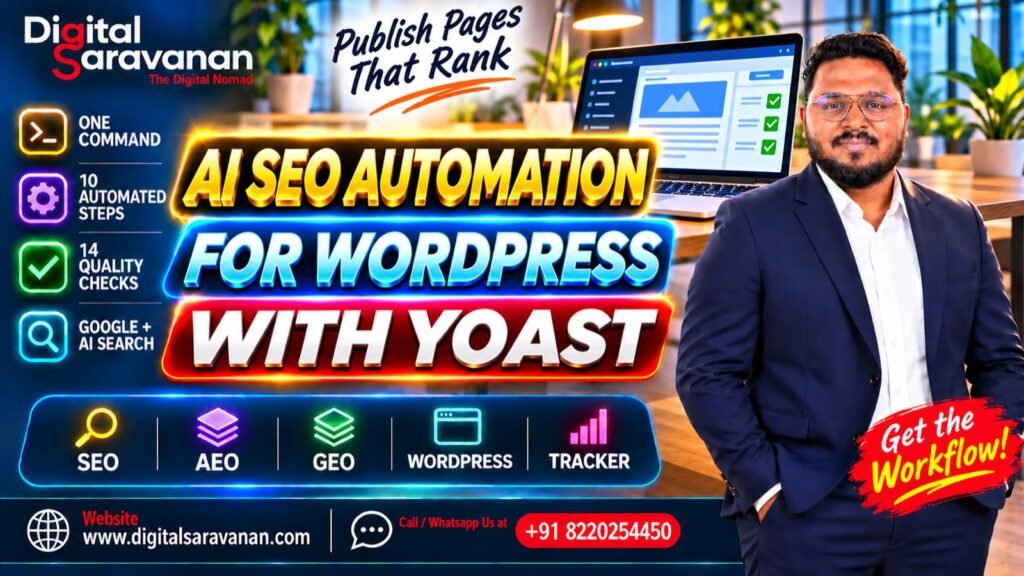
What Is AI SEO Automation for WordPress? The Direct Answer
Quick answer: AI SEO automation for WordPress is a repeatable Claude workflow that turns one keyword into a new, block-clean WordPress page with Yoast fields filled, banners uploaded with alt text, the page published, checked live and sent to Google and Bing, without touching any page you already have. However, it only suits WordPress sites running Yoast SEO, and nothing can promise a ranking.
Last updated: 21 November 2026 · By Saravanan Thiyagarajan (Digital Saravanan) · Founder & CEO, DigiMonk Agency & Academy · 12-minute read
This guide is for site owners, marketers and freelancers who already run WordPress and want to know exactly what the automation does inside their dashboard. Saravanan Thiyagarajan (Digital Saravanan) is the Founder & CEO of DigiMonk Agency & Academy in Chennai, with 10+ years in digital marketing, 250+ clients in 12+ countries and 12,000+ learners trained. Also, for the full picture of research, writing and indexing, start with the Claude SEO Automation guide; this page stays inside WordPress itself.
| Question | Answer |
|---|---|
| What it is | First, the /ds-seo Claude workflow, set up for your own WordPress site |
| Who it suits | Also, WordPress owners, freelancers and agencies who publish new pages often |
| Platform | However, only WordPress with the Yoast SEO plugin; ask first for anything else |
| What you need | In addition, a paid Claude plan, Search Console, Bing Webmaster Tools and a Google account |
| Languages | Moreover, setup guidance in English or Tamil |
| Price | One time — see price section |
| Contact | Finally, WhatsApp +91 8220254450 |
Questions about Claude SEO Automation? WhatsApp Saravanan: +91 8220254450
Key Takeaways
- First, AI SEO automation for WordPress creates new pages only; it never edits, deletes or overwrites existing ones.
- Also, the page body arrives as native Gutenberg blocks, so you can still edit it later in the normal editor.
- Moreover, Yoast’s focus keyphrase, SEO title, meta description and slug get set on every new page.
- In addition, the workflow keeps fixing a page until Yoast shows Good for SEO and Readability.
- However, the setup assumes WordPress plus Yoast; other platforms need a conversation before booking.
- Finally, publishing never happens when the quality gate fails; the page stays a draft instead.
Why Does WordPress Need Its Own SEO Automation Layer?
Text from a chat window is not a WordPress page. A real page also needs blocks, a slug, a featured image, alt text, Yoast fields, a canonical tag and a sitemap entry. Therefore, AI SEO automation for WordPress has to handle the platform’s own parts, or the page looks fine to visitors but weak to crawlers.
For example, a draft pasted from a chat tool often lands as one large Classic block with stray formatting. Similarly, images dragged in at the last minute keep file names like “IMG_2041” and carry no description. As a result, the visible page and the page that search engines read drift apart.
In practice, most WordPress SEO problems are small omissions, not bad writing. An empty meta description, a missing featured image or a second H1 inside a theme block can each weaken a page. Because a checklist run by code never gets tired, automation catches these gaps every time instead of most of the time.
Also, note how this page differs from the WordPress SEO automation expert page: that one helps you choose a person, while this one explains the mechanics you buy.
How Does the Workflow Build a WordPress Page Step by Step?
The workflow builds each page in a fixed order: check for duplicates, write and test the content, convert it to Gutenberg blocks, upload images, create the page, fill Yoast fields, then publish and verify. Moreover, every step reads the result of the step before it, so a failure stops the run instead of creating a half-finished page.
- First, duplicate check. It searches your tracker, existing pages, drafts and the planned slug, so no second page competes for the same keyword.
- Second, content and quality gate. Claude writes the page, and code measures 14 checks before anything reaches WordPress.
- Third, block conversion. The text becomes headings, paragraphs, lists, tables, images, buttons and a schema block.
- Fourth, media upload. Three branded banners go into the Media Library as WebP files with alt text.
- Fifth, page creation. A brand-new page appears, with the featured image set.
- Sixth, Yoast fields. The focus keyphrase, SEO title, meta description and slug get filled, then the scores get re-checked.
- Seventh, publish and verify. The live URL gets tested before indexing requests go out.
For a run-by-run view of all ten steps, including tracker rows and email reports, read the Claude SEO workflow walkthrough. Meanwhile, this page stays focused on what happens inside WordPress.
Why Do Gutenberg Blocks Matter for AI SEO Automation for WordPress?
Gutenberg blocks matter because they keep the page editable, structured and theme-friendly. WordPress’s own documentation describes blocks as the content elements for paragraphs, images, headings, lists and more. Therefore, a page built from real blocks behaves like any page your team made by hand, and anyone can change it later.
According to the WordPress block editor documentation, the block editor has been the default since WordPress 5.0 in December 2018. Also, the Outline view shows the heading structure of a page, which helps you confirm there is exactly one H1 and no skipped levels.
| Content element | How the workflow writes it |
|---|---|
| Headings | First, H2 and H3 heading blocks in strict order |
| Paragraphs | Also, short paragraph blocks, each easy to edit |
| Lists and steps | Moreover, list blocks, numbered where order matters |
| Comparison tables | In addition, table blocks with a header row |
| Banners | Similarly, image blocks with alt text and sizes |
| Buttons | Then, a button block linking to the next action |
| Schema | Finally, one custom HTML block holding JSON-LD |
Because nothing arrives as one pasted blob, your theme styles every element consistently. As a result, mobile layouts, table of contents plugins and accessibility tools read the page properly.
Which Yoast SEO Fields Does WordPress Automation Fill?
The automation fills the four Yoast fields that most affect how a page appears in results: focus keyphrase, SEO title, meta description and slug. Then it reads Yoast’s SEO and Readability analyses and keeps adjusting the page until both show Good. However, a green light in Yoast is a quality signal, not a ranking promise.
| Yoast field | What the workflow sets | Why it matters |
|---|---|---|
| Focus keyphrase | First, the exact target keyword | Also, Yoast scores the page against it |
| SEO title | Moreover, up to 60 characters, keyword first | Therefore, the title is less likely to be cut off |
| Meta description | In addition, 140-155 characters with the keyword | As a result, the snippet reads as a full thought |
| Slug | Similarly, a short, lowercase, hyphenated URL | Thus, the address stays clean and readable |
Yoast itself advises using a focus keyphrase on only one page. In its article on using a focus keyphrase once, Yoast explains that two pages targeting the same term end up competing with each other. Therefore, the duplicate check in step one and the Yoast keyphrase work together.
How Are Featured Images and Alt Text Handled?
Each run creates three branded banners with the owner’s real photo placed untouched, exports them as light WebP files and uploads them to the Media Library with descriptive alt text. Also, the first banner becomes the featured image, so social shares and theme layouts show the right picture.
Google’s guidance supports this approach. Its Google Images SEO documentation calls alt text the most important attribute for image metadata, asks for descriptive file names and lists WebP among the supported formats. However, it also warns against stuffing alt text with keywords.
- File names: First, short descriptive names replace camera defaults.
- Alt text: Also, each banner gets a plain sentence describing what it shows.
- Weight: Moreover, light WebP files keep the page fast on mobile networks.
- Photo rule: Finally, the owner’s face stays exactly as photographed; only the background artwork comes from AI.
Does AI SEO Automation for WordPress Ever Edit Existing Pages?
No. AI SEO automation for WordPress, as set up by Saravanan, only creates new pages and uploads new images. It never edits, deletes or overwrites any page, post, theme file or setting that already exists. Therefore, a live sales page or a carefully tuned service page stays exactly as you left it.
This golden rule exists because editing live pages is where automation causes the most damage. For example, a script that “improves” old content could break a layout, remove a tracking snippet or change a price. Similarly, a rewrite could knock an already-ranking page off its position.
In addition, the workflow never types your passwords. Instead, it works through your own signed-in browser, so no password sits inside any script or file. As a result, you can revoke access the normal way, by signing out or changing your password.
If you later want to refresh an older page, you make that decision and that edit yourself. In short, the automation adds; you stay in charge of what already exists.
Want this workflow running on your own website? See exactly what is included, the 10 steps and the one-time price on the Claude SEO Automation page, or WhatsApp Saravanan.
How Does SEO Automation Create WordPress Pages Through the REST API?
WordPress includes a REST API that lets an approved, signed-in user create pages programmatically instead of clicking through the editor. The workflow uses it to create a fresh page with its content, slug, status and featured image. Because the request comes from your own session, you keep full control of the account.
The official WordPress REST API pages reference lists the fields a page request can carry. For instance, “status” accepts publish, future, draft, pending or private, and “featured_media” takes the ID of an uploaded image. Also, “slug” sets the page address.
| REST field | How the workflow uses it |
|---|---|
| content | First, the full block markup of the new page |
| title | Also, the page H1 with the exact keyword |
| slug | Moreover, the checked, unique URL |
| status | However, draft first; publish only after every check passes |
| featured_media | Finally, the ID of the first banner |
In practice, this draft-first habit is the safety net. If any later check fails, the page simply stays a draft, and nothing reaches your visitors.
What Happens to Sitemaps, Canonicals and Indexing After Publishing?
After publishing, the workflow opens the live URL and checks that it loads, images load, the canonical tag points to itself, no noindex tag exists, the schema is valid and the page appears in the sitemap. Then it requests indexing in Google Search Console and submits the URL to Bing Webmaster Tools.
Yoast handles the sitemap side for you. According to Yoast’s XML sitemaps help page, the sitemaps update automatically as you add or remove content once the feature is on. Therefore, a new page should show up there without extra work, and the workflow confirms it does.
However, neither a sitemap nor an indexing request guarantees inclusion. Google’s own help says a request does not guarantee that a page appears in its index, and there is a daily limit on requests. In short, the workflow does the asking reliably; the search engines still decide.
What Hosting and Plugins Does WordPress SEO Automation Need First?
Before setup, confirm that your WordPress site can accept new pages and images smoothly. The checklist below covers the usual blockers, because a security plugin, a full disk or a missing Yoast install can stop a run. Also, Saravanan reviews these points with you during the first one-to-one session.
| Check | Why it matters |
|---|---|
| Yoast SEO installed and active | First, the workflow reads and fills Yoast fields |
| XML sitemaps turned on in Yoast | Also, new pages then appear in the sitemap |
| REST API not blocked by a security plugin | However, some plugins block page creation requests |
| Your user can publish pages and upload media | Moreover, an Editor or Administrator role usually can |
| Media upload size allows banner files | In addition, WebP banners must upload without errors |
| Caching clears for new pages | Similarly, visitors should see the new page at once |
| Recent backup in place | Finally, good practice before any new workflow |
| Search Console and Bing verified | Therefore, indexing requests can go through |
Your domain and hosting stay with your current provider. In other words, nothing moves; the workflow simply works on the site you already run.
Is AI SEO Automation for WordPress Only, or Can Other Platforms Work?
The workflow is built for WordPress with Yoast SEO, and that is the only setup it promises. Shopify, Wix, Webflow, Squarespace and custom-built sites use different editors, fields and access methods. Therefore, if your site runs on anything else, message Saravanan on WhatsApp before booking, and he will tell you honestly whether it fits.
Some owners run a store on one platform and a blog on WordPress. In that case, the WordPress blog can host the new SEO pages, while the store keeps its own setup. However, that is a decision about your site structure, so discuss it first rather than assuming.
Also, keep in mind that AI SEO automation for WordPress depends on publishing new pages regularly. If your site cannot add pages, for example because a parent company locks the CMS, the workflow will not suit you.
How Does It Write for AI Answer Engines as Well as Google?
Every page gets direct-answer blocks of 40 to 60 words under question headings, an FAQ with schema, a clear author box and consistent business facts. Therefore, the same WordPress page aims to rank on Google and to be quoted by AI answer engines. However, nobody controls which sources an AI answer cites.
For the full method behind answer blocks, entities and monthly AI-visibility checks, read the guide to AEO and GEO automation for AI search. Also, if you want a person to plan that layer for you, see the SEO, AEO and GEO expert page.
What Does It Cost, and What Do You Keep Paying?
The workflow costs a single one-time fee, with no monthly retainer from DigiMonk. You still pay your own Claude plan to Anthropic and your hosting to your provider. Also, WordPress itself and the free Yoast SEO plugin cost nothing, though some owners choose paid themes or Yoast Premium.
Price: ₹1,00,000 + GST, one time (launch offer; listed at ₹2,00,000). Approximate equivalents on 21 November 2026: about US$1,070, £820, €980, AED 3,930, SGD 1,380, A$1,600, C$1,530, MYR 4,410 or SAR 4,020. Exchange rates move, and the written quote fixes the amount and any taxes that apply. Your Claude plan and website hosting are paid to those providers separately.
For a full one-time versus subscription comparison over one and three years, see the one-time payment SEO tool guide. In short, the fee covers the skill, setup and one-to-one guidance; your tools stay in your name.
What Proof Exists That It Works on a Live WordPress Site?
The clearest proof is Saravanan’s own WordPress site. His tracker logs every page the skill creates, and it held 860+ rows by 20 November 2026. Also, on 20 November 2026 alone, the workflow published 50 pages on digitalsaravanan.com. However, rankings move over time, and results vary by keyword, competition and location.
In practice, you can open any of those pages, view the source and check the blocks, alt text, Yoast title and schema yourself. Therefore, you judge the output on a live site rather than on a promise.
“WordPress forgives a messy page for a human visitor, but a crawler reads every missing field. So I let code fill every field on every new page, and I never let it touch the pages that already earn money.”
Saravanan Thiyagarajan, Founder & CEO, DigiMonk Agency & Academy
Who Should Not Buy AI SEO Automation for WordPress?
Skip this workflow if your site is not on WordPress, if you want someone else to do every task forever, if you expect a guaranteed first position, or if your site cannot publish new pages regularly. In those cases, a managed service or a different platform plan will serve you better.
By contrast, it suits restaurants, clinics, manufacturers, institutes, retailers and service brands with a WordPress site and a list of topics to cover. Also, freelancers and agencies can train the same skill for several client WordPress sites. For the broader expert view, see the Claude SEO automation expert page.
Want this workflow running on your own website? See exactly what is included, the 10 steps and the one-time price on the Claude SEO Automation page, or WhatsApp Saravanan.
Frequently Asked Questions
Does AI SEO automation for WordPress guarantee a first-page ranking?
No. Google and AI engines decide rankings and citations. Instead, the workflow makes sure every new page passes the same 14 measured checks and Yoast’s analyses before it goes live.
Does it work only on WordPress?
Yes, it is built for WordPress with Yoast SEO. If you use another platform, WhatsApp Saravanan before booking so he can tell you honestly whether it fits.
Do I need coding skills to run it?
No. You type one command with your keyword, and Claude runs the steps. Also, Saravanan shows you each step one-to-one during setup.
Will it change my theme, plugins or existing pages?
Never. It only creates new pages and uploads new images. Therefore, your theme, settings and current pages stay untouched.
Can I get the setup and guidance in Tamil?
Yes. Saravanan guides you in Tamil or English, whichever you prefer.
Can I use it on several WordPress sites?
Yes. You can train the same skill for multiple businesses, whether your own brands or client sites, as long as each one runs WordPress with Yoast.
What do I pay every month after buying?
Nothing to DigiMonk. However, you keep paying your own Claude plan to Anthropic and your hosting to your provider.
How do I buy it?
First, read the details on the product page. Then send a WhatsApp message to +91 8220254450 with your website and keywords, and Saravanan’s team will arrange a call.
Questions about Claude SEO Automation? WhatsApp Saravanan: +91 8220254450
Final Verdict: AI SEO Automation for WordPress
In short, AI SEO automation for WordPress earns its place when it respects the platform: real Gutenberg blocks, filled Yoast fields, described images, a draft-first REST workflow and a firm rule against editing existing pages. Therefore, judge any offer on those mechanics, not on page counts.
If your site runs WordPress with Yoast and you can publish new pages regularly, the /ds-seo workflow is worth a closer look. Also, return to the Claude SEO Automation guide to see how this WordPress layer fits the whole system.
About the Author
Saravanan Thiyagarajan, known as Digital Saravanan, is the Founder and CEO of DigiMonk Agency & Academy in Chennai, India. He has 10+ years of digital marketing experience, has worked with 250+ clients in 12+ countries and has trained 12,000+ learners, mostly in English and Tamil.
He built the /ds-seo Claude workflow to run his own website, and he uses it every day to research, write, publish, index and track SEO pages. In addition, he sets the same workflow up one-to-one for business owners, freelancers and agencies. Learn more on the About Digital Saravanan page, see the Claude SEO Automation workflow, or WhatsApp +91 8220254450.