


How Do I Make AI Videos With Google Flow and Veo 3 in Tamil Step by Step? The Direct Answer
Quick answer: This Google Flow and Veo 3 tutorial in Tamil shows you how to plan a script with Gemini, create a character image with Nano Banana, switch Flow to Video, generate clips with Veo 3.1 Lite or Omni Flash 1.2, add a Tamil voice and export a 9:16 reel or a 16:9 YouTube video. However, Flow changes often, so check Google’s help pages before you spend credits.
Last updated: 8 November 2026 · By Saravanan Thiyagarajan (Digital Saravanan) · Founder & CEO, DigiMonk Agency & Academy · 13-minute read
In fact, this is a hands-on guide, not a review. Saravanan Thiyagarajan (Digital Saravanan) is the Founder & CEO of DigiMonk Agency & Academy in Chennai, with 10+ years in digital marketing, 250+ clients in 12+ countries and 12,000+ learners trained. Moreover, he teaches Gemini and Flow in Tamil, so every step below follows the order he uses when he explains AI video to Tamil learners. Also, menu names and buttons in Flow can change at any time, so treat the labels here as a guide to the idea, not a promise of the exact screen.
Google Flow and Veo 3 Tutorial in Tamil: Quick Facts
| Fact | Details (at the time of writing) |
|---|---|
| Tool | Google Flow, Google’s AI filmmaking tool for clips, scenes and stories |
| Best device | Also, a computer with a Chromium browser such as Chrome or Edge (a Flow mobile app also exists) |
| Who can use it | However, only age-verified users who are 18+ and in a supported region, including India, Sri Lanka, Malaysia, Singapore, UAE, UK, Canada, Australia and USA |
| Free credits | In addition, 50 Flow credits per day without a subscription; unused daily credits do not roll over |
| Video models | For example, Omni Flash 1.2 and Veo 3.1 Lite (Veo 3.1 Fast and Quality retire on 5 December 2026) |
| Image model | Moreover, Nano Banana models, with Nano Banana Pro as the default in the prompt box |
| Tamil support | Instead of a guarantee, Tamil is on Flow’s language list, but Google recommends English prompts for best results |
| Source | Finally, Google Flow help and Flow credits |
Want to learn this step by step in Tamil? Join Saravanan’s Advanced Generative AI Course in Tamil. It covers ChatGPT, Google Gemini and Google Flow, and you build AI videos, songs, avatars, images and websites. Lifetime access is ₹9,999, and one-to-one live online training is ₹30,000. However, fees can change, so check the course page for the latest price.
Key Takeaways
In short, a good Google Flow and Veo 3 tutorial in Tamil should save you credits, not just show buttons. Therefore, keep these points in mind before you start.
- First, plan the story in Gemini before you open Flow, because planning is free and generations are not.
- Also, “Veo 3” in Flow today means the Veo 3.1 family, and Veo 3.1 Lite costs 10 credits per generation for non-Ultra users.
- Moreover, 50 free daily credits give you about five 8-second Veo 3.1 Lite clips.
- In addition, write prompts in English and put Tamil dialogue inside quotes.
- However, Tamil speech quality is not guaranteed, so keep a separate Tamil voice-over as your backup plan.
- Finally, export 9:16 for reels and 16:9 for YouTube.
Why Learn With a Google Flow and Veo 3 Tutorial in Tamil
Many Tamil creators and business owners search for “Veo 3” after seeing viral AI clips. However, most English guides skip the practical questions a Tamil learner asks first. For example, will my Tamil dialogue sound right, how many clips can I make for free, and how do I make the same character appear in every shot?
As a result, this Google Flow and Veo 3 tutorial in Tamil answers those questions in the order you will meet them. Also, a few Tamil words appear in the headings, such as படிப்படியாக (step by step), so the guide feels familiar.
What “Veo 3” Means Inside Flow Today
Veo 3 also reached India through the Gemini app for Google AI Pro subscribers in 2025, according to news reports. However, inside Flow the models have moved on. At the time of writing, Flow lists Omni Flash 1.2 and Veo 3.1 Lite, while Veo 3.1 Fast and Veo 3.1 Quality retire on 5 December 2026. In practice, when people search for “Veo 3” in Flow, they now get the Veo 3.1 models. Therefore, check the Flow models page for the current list.
Before You Start With Google Flow and Veo 3: முன் தயாரிப்பு Checklist
First, make sure you meet the basic rules. Otherwise, Flow will not let you generate anything.
- First, you must be 18+ and age-verified on your Google account.
- Also, you must be in a supported region; India is on Google’s supported list.
- Moreover, use Chrome or Edge on a laptop or desktop for the full Flow screen.
- In addition, decide on credits: either the 50 free daily credits or a Google AI plan with extra monthly credits.
- Finally, avoid peak hours if you are on the free tier, because non-subscribers may not be able to generate videos between roughly 2 PM and 5 PM UTC, which is about 7:30 PM to 10:30 PM IST.
Which Google Flow and Veo 3 Plan Fits a Beginner
For example, subscribers get extra monthly Flow credits on top of the daily ones: Google AI Plus adds 200, Google AI Pro adds 1,000, and the Ultra plans add 10,000 or 25,000. Published reports put Google AI Pro in India at about ₹1,950 per month and Google AI Plus at about ₹399 per month at the time of writing. However, these are not official quotes, so check Google’s plans page after you sign in. Also, some qualifying Google Workspace plans include Flow with 50 daily credits at no extra charge.
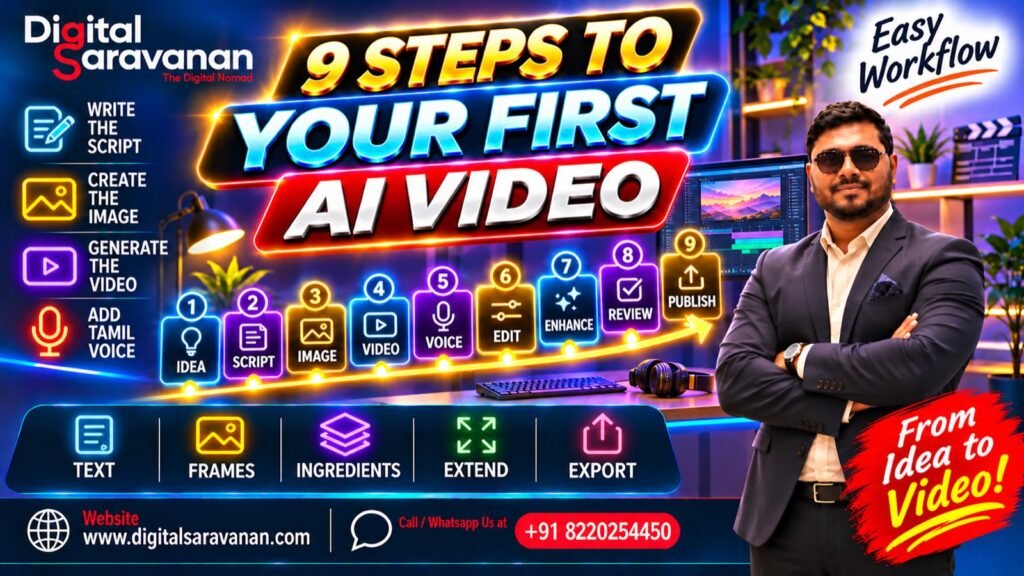
Google Flow and Veo 3 Tutorial in Tamil: The 9-Step Workflow (படிப்படியாக)
Now the real work starts. In practice, each step below builds on the one before it, so do them in order for your first video.
Step 1: Plan the Script and Shot List With Gemini
First, open Gemini and describe your idea in Tamil or English. Then ask it for a 30-second script, a shot list of four clips and one prompt per shot. Gemini is good at this planning job, and it costs you no Flow credits.
For example, here is an illustrative idea, not a real client: a Madurai filter coffee shop wants a 30-second Instagram reel. As a result, the shot list could be:
- First, a close shot of coffee being poured from a davara-tumbler (8 seconds).
- Also, the owner smiling at the counter and saying a short Tamil line (8 seconds).
- Moreover, a customer taking the first sip in morning light (8 seconds).
- Finally, the shop front with the offer text added later in an editor (8 seconds).
Step 2: Create a Character or Product Image With Nano Banana
Next in this Google Flow and Veo 3 tutorial in Tamil, open Flow and start a new project. At the time of writing, the prompt box opens on Nano Banana Pro, the default image model. Therefore, use it first to create a clear image of your owner character or your product, such as the coffee tumbler on a brass plate.
Also, save the best image as an asset. Consequently, you can reuse it in later steps to keep the face or product the same across every clip.
Step 3: Switch to Video and Pick Omni Flash 1.2 or Veo 3.1 Lite
Then switch the prompt box from Image to Video and open the settings. In addition, the settings show the active model, resolution and the latest credit costs, so always look there before you press generate.
| Model | Lengths | Credit cost (non-Ultra) | Best for |
|---|---|---|---|
| Veo 3.1 Lite | 4s, 6s or 8s at 720p | First, 10 credits per generation (5 for Ultra) | Moreover, cheap tests and quick reels |
| Omni Flash 1.2 | 3-10s for all users, up to 15s for subscribers | Also, 1 credit per second at 360p, 3 per second at 720p | In addition, higher quality and consistency |
| Veo 3.1 Fast (until 5 Dec 2026) | 8s | However, 20 credits per generation | Finally, retiring soon, so do not build habits on it |
| Veo 3.1 Quality (until 5 Dec 2026) | 8s | Instead, 100 credits per generation | For example, not practical on free credits |
In short, start with Veo 3.1 Lite for tests and move to Omni Flash 1.2 for the final shots.
Step 4: Write Google Flow Text to Video Prompts for Veo 3
Google’s own tip is to be specific about subject, action, environment, lighting and style. Also, adding a camera direction helps. Therefore, use this formula: subject + action + environment + lighting + style + camera.
Here are three example prompts in English with Tamil dialogue in quotes:
- First: “A middle-aged Tamil coffee shop owner in a white veshti pours filter coffee between a davara and tumbler, in a small Madurai shop, warm morning sunlight, realistic film look, slow close-up camera. He says in Tamil: ‘நம்ம கடை காபி, ஒரு தடவை குடிச்சா போதும்!'”
- Also: “A young woman in a cotton saree takes her first sip of coffee at a wooden table, busy street outside, soft golden light, cinematic style, medium shot with gentle push-in. She says in Tamil: ‘அருமையான சுவை!'”
- Moreover: “A steel tumbler of frothy coffee on a brass plate rotates slowly, dark background, dramatic rim lighting, product-ad style, 360-degree orbit camera, no dialogue.”
As a result, each prompt tells the model exactly what to show. However, keep Tamil lines short, because longer lines are harder to check.
Steps 5 to 9 of the Google Flow and Veo 3 Tutorial in Tamil
The first four steps give you single clips. In contrast, the next five steps turn those clips into a consistent, finished video.
Step 5: Use Frames to Video and Ingredients for Consistency
First, try Frames to Video. Here you give Flow a start frame, or a start and an end frame, and it animates between them. For example, use your Nano Banana image of the owner as the start frame.
Also, try Ingredients (also shown as References) to Video. In this mode you add reference images of characters and objects, and Flow keeps them consistent. In practice, type @ in the prompt box to pick a saved asset, and type @me to use your own avatar. As a result, the same owner and the same tumbler appear in every clip.
Step 6: Ask the Flow Agent for Variations
Next, turn on Agent in the prompt box. Then describe the scene in plain words and ask for variations, such as “give me three versions of this pouring shot with different camera angles”. Therefore, you can compare options quickly and keep only the best one. However, every generation still uses credits, so ask for variations only after your prompt is close to right.
Step 7: Extend and Upscale Your Best Clips
Veo Extend was retired on 5 November 2026. Consequently, extending a clip now needs a Plus, Pro or Ultra plan and the Omni Flash 1.2 model. Also, subscribers can upscale Omni Flash 1.2 clips of 1 to 10 seconds to 1080p for free, while 4K upscaling is for Ultra only. In short, free users should plan short 8-second shots and join them in an editor.
Want to learn this step by step in Tamil? Join Saravanan’s Advanced Generative AI Course in Tamil. It covers ChatGPT, Google Gemini and Google Flow, and you build AI videos, songs, avatars, images and websites. Lifetime access is ₹9,999, and one-to-one live online training is ₹30,000. However, fees can change, so check the course page for the latest price.
Step 8: Add a Tamil Voice and Edit the Video
This is the step where a Google Flow and Veo 3 tutorial in Tamil must be honest. Flow’s language list includes Tamil, but Google says English prompts give the best results and output quality may vary by language. Moreover, Google does not promise that spoken Tamil will be accurate.
Therefore, follow this simple test:
- First, generate one short clip with a single Tamil line in quotes.
- Also, listen for pronunciation and watch the lip sync closely.
- However, if the Tamil sounds wrong, generate the visuals without dialogue.
- Instead, record your own Tamil voice-over or add one separately.
- Finally, sync the voice, music and on-screen Tamil text in a video editor.
In addition, Omni Flash 1.2 offers custom voices from presets, although some are only available in certain regions.
Step 9: Export and Publish
Finally, download your clips and join them in your editor. For example, export 9:16 for Instagram Reels and YouTube Shorts, and 16:9 for a normal YouTube video. Also, add captions in Tamil, because many people watch reels without sound.

Google Flow and Veo 3 Credit Budget: How Far 50 Free Credits Go
Credits run out faster than beginners expect. Therefore, plan your day with this table, based on Google’s Flow credits page at the time of writing.
| Clip type | Credits per clip | Clips from 50 daily credits |
|---|---|---|
| Veo 3.1 Lite, 8s, 720p | First, 10 | Therefore, 5 clips |
| Omni Flash 1.2, 8s, 360p | Also, 8 | In addition, 6 clips (2 credits left) |
| Omni Flash 1.2, 8s, 720p | However, 24 | As a result, 2 clips (2 credits left) |
| Omni Flash 1.2, 10s, 720p | Moreover, 30 | In practice, 1 clip |
| Veo 3.1 Fast, 8s (until 5 Dec 2026) | Instead, 20 | For example, 2 clips |
Also, remember that the daily refresh starts from your first generation, and credits from failed generations come back within about an hour. In short, test with Veo 3.1 Lite and save Omni Flash 1.2 at 720p for final shots.
Troubleshooting Table for Google Flow and Veo 3 in Tamil
Even careful users hit problems. However, most of them have simple fixes.
| Problem | Likely cause | Fix |
|---|---|---|
| Cannot generate in the evening | First, peak hours for non-subscribers (about 7:30 PM to 10:30 PM IST) | Therefore, try in the morning or afternoon IST |
| Flow will not open | Also, age check, region or browser | Instead, verify your age and use Chrome or Edge on a computer |
| Tamil dialogue sounds wrong | However, Tamil output quality may vary | As a result, add a separate Tamil voice-over |
| Character face changes each clip | Moreover, no reference image used | In practice, use Ingredients with @ assets or @me |
| Credits disappeared | For example, a failed generation | Finally, wait about an hour for the refund |
| Extend option missing | In addition, Veo Extend retired on 5 November 2026 | Therefore, use Omni Flash 1.2 with a Plus, Pro or Ultra plan |
| Menu name differs from this guide | Also, Flow updates often | Instead, check the create videos help page |
6 Mistakes Beginners Make in Google Flow and Veo 3
- First, opening Flow without a script, which wastes credits on random tests.
- Also, writing long Tamil paragraphs as dialogue instead of one short line.
- Moreover, using Omni Flash 1.2 at 720p for every test clip.
- In addition, skipping reference images, so the character changes in each shot.
- However, building a workflow around Veo 3.1 Fast or Quality, which retire on 5 December 2026.
- Finally, posting without Tamil captions or the right aspect ratio.
More Guides
- First, see the Google Veo 3, Flow and Gemini AI video course in Tamil.
- Also, compare the best AI video creation course in Tamil.
- Moreover, learn better prompts in the prompt engineering course in Tamil.
- In addition, explore the best Gen AI course in Tamil.
- For example, read about the animated AI video training expert in Tamil.
- Finally, Chennai learners can see the AI video creation course in Chennai.
Frequently Asked Questions
What is the best Google Flow and Veo 3 tutorial in Tamil for beginners?
In short, the best Google Flow and Veo 3 tutorial in Tamil follows a full workflow: plan with Gemini, make an image with Nano Banana, generate video with Veo 3.1 Lite or Omni Flash 1.2, add a Tamil voice and export. Also, it should explain credits and honest Tamil voice limits.
Is Google Flow free to use in India?
Yes, at the time of writing. Without a subscription you get 50 Flow credits per day, and India is on the supported list. However, you must be 18+ and age-verified.
Can Veo speak Tamil?
Tamil is on Flow’s supported language list. However, Google recommends English prompts and says quality may vary, so test short lines and keep a separate Tamil voice-over ready.
How many Veo 3.1 Lite clips can I make for free?
For example, Veo 3.1 Lite costs 10 credits per generation for non-Ultra users, so 50 daily credits give you about five 8-second clips.
Is Veo 3 still available in Flow?
Instead of the original name, Flow now offers the Veo 3.1 family. Moreover, Veo 3.1 Fast and Quality retire on 5 December 2026, leaving Veo 3.1 Lite and Omni Flash 1.2.
Do I need a computer for Flow?
Flow works best on a computer in Chrome or Edge. Also, a Flow mobile app exists, but the full workflow is easier on a laptop.
How do I keep the same character in every clip?
In practice, use Ingredients (References) to Video, type @ to pick your saved assets, or type @me for your avatar.
Is Digital Saravanan affiliated with Google?
No. Digital Saravanan is an independent trainer and is not affiliated with, endorsed by or certified by Google. Gemini, Flow and Veo are Google products, and this page uses the names only to describe the training.
Want to learn this step by step in Tamil? Join Saravanan’s Advanced Generative AI Course in Tamil. It covers ChatGPT, Google Gemini and Google Flow, and you build AI videos, songs, avatars, images and websites. Lifetime access is ₹9,999, and one-to-one live online training is ₹30,000. However, fees can change, so check the course page for the latest price.
Final Verdict: Google Flow and Veo 3 Tutorial in Tamil
In short, this Google Flow and Veo 3 tutorial in Tamil gives you a practical path: plan in Gemini, design in Nano Banana, test with Veo 3.1 Lite, finish with Omni Flash 1.2, and add a reliable Tamil voice. Moreover, a careful credit budget turns 50 free daily credits into real practice.
Also, bookmark this Google Flow and Veo 3 tutorial in Tamil, because Google updates models and credit costs often. Finally, revisit this Google Flow and Veo 3 tutorial in Tamil whenever a menu name changes. Therefore, start with one short reel this week. After that, if you want guided practice in Tamil, the course below covers Gemini, Flow and AI video projects from start to finish.
About the Author
Saravanan Thiyagarajan, known as Digital Saravanan, is the Founder and CEO of DigiMonk Agency & Academy in Chennai, India. He has 10+ years of digital marketing experience, has worked with 250+ clients in 12+ countries and has trained 12,000+ learners, mostly in Tamil and English.
In addition, he teaches ChatGPT, Google Gemini and Google Flow in Tamil, and he wrote the Tamil prompt-engineering book “AI உடன் பேசும் கலை”. Learn more on the About Digital Saravanan page, or WhatsApp +91 8220254450.