


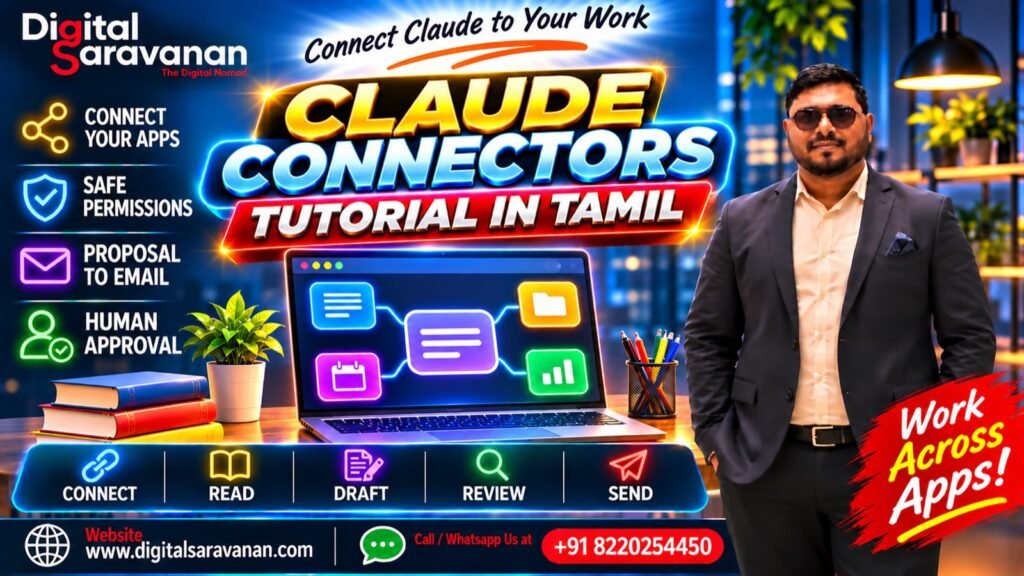
What Are Claude Connectors and How Do I Use Them in Tamil? The Direct Answer
Quick answer: This Claude connectors tutorial in Tamil explains that connectors let Claude reach your apps such as Gmail or Google Drive, read your data and act inside those services, and it shows a safe proposal-then-email workflow where you approve every message before it goes out. However, a connector carries your own permissions, so connect only the services you trust and need.
Last updated: 10 November 2026 · By Saravanan Thiyagarajan (Digital Saravanan) · Founder & CEO, DigiMonk Agency & Academy · 10-minute read
Most people use Claude like a closed room: you paste text in, you copy text out. Connectors open a door from that room to your real tools. Saravanan Thiyagarajan (Digital Saravanan) is the Founder & CEO of DigiMonk Agency & Academy in Chennai, with 10+ years in digital marketing, 250+ clients in 12+ countries and 12,000+ learners trained. Also, he uses Claude daily for content pipelines, Projects, Skills and automation workflows. Therefore, this guide treats connectors as a business tool first, with safety rules at every step.
Connectors Meaning in Tamil (Connectors என்றால் என்ன?)
Connectors என்பது Claude-ஐ உங்கள் Gmail, Google Drive போன்ற apps-உடன் இணைத்து, தகவல்களைப் படிக்கவும், உங்கள் அனுமதியுடன் வேலைகளைச் செய்யவும் உதவும் இணைப்புகள். In Anthropic’s own words, “Connectors let Claude access your apps and services, retrieve your data, and take actions within connected services,” according to the official connectors help page.
Quick Facts: Claude Connectors Tutorial in Tamil
| Fact | Details (official help pages, at the time of writing) |
|---|---|
| What they do | First, let Claude access your apps, retrieve data and take actions in them |
| Where they work | Also, Claude on the web, Cowork, Claude Desktop and Claude Mobile for web connectors |
| Where to find them | Moreover, Customize > Connectors, or the “+” menu in a chat |
| Permissions | In addition, Claude inherits your own permissions in each connected service |
| Custom connectors | For example, remote MCP servers; Free users are limited to one custom connector |
| Team and Enterprise | However, an Owner or Primary Owner must enable connectors for the organisation first |
| Course lesson | Finally, lesson 7 covers connectors, creating a proposal and sending email with Claude |
Want to learn this step by step in Tamil? Join Saravanan’s Advanced Claude AI, Claude Cowork and Claude Code Course in Tamil. It has 18 recorded modules (about 5 hours 49 minutes) that cover Claude basics, Projects, Skills, connectors, Cowork and Claude Code projects such as websites, a CRM and Meta and Google ads. The self-paced course is ₹19,999 (listed at ₹50,000), and 21-day one-to-one live training on Zoom is ₹75,000. However, fees can change, so check the course page for the latest price.
Key Takeaways
In short, connectors save copy-paste time, while you keep control of every outgoing action.
- First, connect only the services you trust and need, as Anthropic advises.
- Also, remember that Claude sees what your login sees, so choose the right account.
- Moreover, turn a connector on only for the chat that needs it.
- In addition, read every draft email before you approve sending.
- Finally, disconnect services you no longer use.
Why a Claude Connectors Tutorial in Tamil Matters for Business
Think of a typical morning for a training institute owner in Madurai. A lead asked for a proposal last night, the brochure sits in Google Drive and the reply must go out from Gmail. Without connectors, you copy the brochure text into Claude, copy the draft back into Gmail and fix the formatting twice. As a result, ten minutes of thinking becomes forty minutes of shuffling.
With connectors, Claude can search the email thread, read the right Drive file and prepare the draft in one conversation. However, speed is only half the story. Therefore, this Claude connectors tutorial in Tamil spends as much time on permissions as on features.
Claude Connectors and MCP in Tamil: The Simple Picture
Behind the scenes, connectors use the Model Context Protocol (MCP). Anthropic’s Claude Code MCP docs call MCP “an open source standard for AI-tool integrations,” and say MCP servers give Claude access to “your tools, databases, and APIs.”
| Term | Plain meaning |
|---|---|
| Connector | First, a ready link between Claude and an app, such as Gmail or Google Drive |
| MCP | Also, the open standard that defines how Claude talks to outside tools |
| Custom connector | Moreover, your own remote MCP server added by URL |
| MCP in Claude Code | Finally, servers you add in the terminal with the claude mcp add command |
In practice, a beginner following this Claude connectors tutorial in Tamil never needs to write MCP code. Instead, you pick a connector from the directory, sign in to that service and allow access. Also, the official help page says custom connectors must point to a server that Anthropic’s cloud can reach, so they suit advanced users.
How to Turn On Claude Connectors in Tamil: Step by Step (படிப்படியாக)
The steps in this Claude connectors tutorial in Tamil follow the official help pages at the time of writing. Also, menus can change, so keep the help page open while you work.
- First, open the connector list. Go to Customize > Connectors, or use the “+” menu inside a chat.
- Second, choose a service. For example, pick Gmail or Google Drive from the directory.
- Third, sign in to that service. You authenticate directly with the provider, such as Google.
- Fourth, enable it for a chat. Click “+” in the lower-left corner or type “/”, hover over Connectors and toggle the services you want.
- Fifth, test with a read-only request. For example, ask Claude to find last week’s email from one lead.
- Finally, review and disconnect. Remove any service you do not need any more.
However, on Team and Enterprise plans an Owner or Primary Owner must enable a connector for the organisation first. Even then, each person still signs in separately, so enabling a connector does not give anyone automatic access.
The Proposal-Then-Email Workflow in This Claude Connectors Tutorial in Tamil
Lesson 7 of the course shows how to create a proposal and send email using Claude. Here is the shape of that workflow, with a human check at every gate.
Step 1: Gather the Inputs (தகவல் சேகரிப்பு)
First, ask Claude to read the lead’s email and your service brochure. For example: “Read the latest email from Priya at Sri Lakshmi Textiles and my file ‘Website packages 2026’ in Drive. List her needs in five bullet points.” Also, check the list against what you know from the phone call, because Claude only sees what is written.
Step 2: Draft the Proposal
Next, give clear instructions: scope, timeline, price range you choose, payment terms and a polite Tamil greeting line. In addition, ask for the proposal in a clean format you can attach or paste. Moreover, you set the price yourself; Claude should never decide fees for you.
Step 3: Draft the Email, Then Approve
The Gmail connector can search, read, draft, send, reply to and forward emails, according to Anthropic’s Gmail and Google Calendar help page. Also, by default Claude asks for your approval before it sends. Therefore, read the To line, the subject, every number and the attachment note before you approve.
Step 4: Log and Follow Up
Finally, ask Claude to summarise what was sent and suggest a follow-up date. In practice, you can then add that date to your calendar yourself.
Want to learn this step by step in Tamil? Join Saravanan’s Advanced Claude AI, Claude Cowork and Claude Code Course in Tamil. It has 18 recorded modules (about 5 hours 49 minutes) that cover Claude basics, Projects, Skills, connectors, Cowork and Claude Code projects such as websites, a CRM and Meta and Google ads. The self-paced course is ₹19,999 (listed at ₹50,000), and 21-day one-to-one live training on Zoom is ₹75,000. However, fees can change, so check the course page for the latest price.
Permissions and Safety in a Claude Connectors Tutorial in Tamil
Connectors are powerful because they act with your access. Therefore, safety rules matter more here than anywhere else in Claude.
| Risk | Safe habit |
|---|---|
| Too much access | First, connect only services you trust and need |
| Wrong account | Also, use the work account that matches the task, not your personal one |
| Unread outgoing email | Moreover, keep approval on and read every draft before sending |
| Unknown custom servers | In addition, use servers only from trusted organisations and review their permissions |
| Prompt injection | For example, be careful when a tool fetches outside content, as Anthropic’s MCP docs warn |
| Old connections | Finally, disconnect services you no longer use |
Also, customer data deserves extra care. Follow India’s data protection law and your own company policy before you let any tool read client emails or files.
Claude Connectors in Tamil for Claude Code Builders
If you build with Claude Code, you can add MCP servers from the terminal. The official docs show the basic syntax claude mcp add –transport http followed by a name and a URL. Also, servers can be saved at local, project or user scope, and the /mcp command inside Claude Code checks server status.
However, beginners should start with the ready connectors in the Claude app first. For install steps, read the Claude Code tutorial in Tamil, and for reusable instructions, see the Claude Skills tutorial in Tamil. In short, connectors bring the data, Skills bring your rules, and Claude Code builds the tools.
Mistakes Beginners Make With Claude Connectors in Tamil
- Connecting everything on day one. Instead, start with one service, such as Gmail.
- Turning off approval to save time. Instead, approve each outgoing email until you trust the workflow.
- Using a personal login for client work. Instead, use the correct business account.
- Vague prompts. Instead, name the exact email, sender or file you mean.
- Trusting numbers blindly. Instead, check every price, date and name in the proposal.
- Adding unknown custom connectors. Instead, use servers only from trusted organisations.
Who Should Learn This Claude Connectors Tutorial in Tamil?
The course page lists entrepreneurs and business owners, digital marketers and freelancers, students and working professionals, content creators and agency owners. For example, an agency owner can draft client proposals faster, and a freelancer can answer enquiries the same day. Also, a student can practise on a test Gmail account before touching real work.
However, connectors do not replace judgement. In practice, you still decide the offer, the price and the tone. Therefore, a guided Claude connectors tutorial in Tamil helps you build safe habits from the start.
More Guides on Claude in Tamil
- First, start with the Claude Code tutorial in Tamil.
- Also, build reusable rules with the Claude Skills tutorial in Tamil.
- Moreover, see the Claude AI course for business owners in Tamil.
- In addition, read how to learn Claude in Tamil.
- For example, explore the Claude Cowork course in Tamil.
- Finally, compare fees in Claude AI course fees in Tamil.
Frequently Asked Questions
What does a Claude connectors tutorial in Tamil teach?
It teaches what connectors are, how to turn them on, how permissions work and how to run a real workflow, such as drafting a proposal and an email in Claude. Also, it stresses approving every outgoing message yourself.
What are Claude connectors?
Anthropic says connectors let Claude access your apps and services, retrieve your data and take actions within connected services. In addition, Claude inherits your permissions in each service.
Are connectors free?
Web connectors are available to all users, including the Free plan, according to Anthropic’s help page at the time of writing. However, Free users can add only one custom connector. Plans change, so check the official Claude pricing page.
Can Claude send an email without asking me?
By default, Claude asks for your approval before it sends, replies or forwards through Gmail. However, on Team and Enterprise plans, Owners can change that setting. Therefore, keep approval on for client email.
What is MCP?
MCP stands for Model Context Protocol. Anthropic’s docs describe it as an open source standard for AI-tool integrations. Also, connectors are built on it.
Is it safe to connect my Gmail to Claude?
It can be, if you follow the basics. Connect only services you trust and need, read every draft and disconnect when you are done. Moreover, follow your company’s data policy for client emails.
Do I need coding to use connectors?
No. The ready connectors in the Claude app need no code. Instead, coding knowledge helps only when you add custom MCP servers in Claude Code.
Is Digital Saravanan affiliated with Anthropic?
No. Digital Saravanan is an independent trainer and is not affiliated with, endorsed by or certified by Anthropic. Claude, Claude Code and Claude Cowork are Anthropic products, and this page uses the names only to describe the training.
Want to learn this step by step in Tamil? Join Saravanan’s Advanced Claude AI, Claude Cowork and Claude Code Course in Tamil. It has 18 recorded modules (about 5 hours 49 minutes) that cover Claude basics, Projects, Skills, connectors, Cowork and Claude Code projects such as websites, a CRM and Meta and Google ads. The self-paced course is ₹19,999 (listed at ₹50,000), and 21-day one-to-one live training on Zoom is ₹75,000. However, fees can change, so check the course page for the latest price.
Final Verdict: Claude Connectors Tutorial in Tamil
In short, this Claude connectors tutorial in Tamil shows that connectors turn Claude from a chat box into a working assistant that reads your email and files. Also, the safe pattern is simple: connect only what you need, give clear instructions and approve every outgoing action.
Finally, if you want to practise the proposal-and-email workflow with step-by-step lessons in Tamil, join Saravanan’s course below.
About the Author
Saravanan Thiyagarajan, known as Digital Saravanan, is the Founder and CEO of DigiMonk Agency & Academy in Chennai, India. He has 10+ years of digital marketing experience, has worked with 250+ clients in 12+ countries and has trained 12,000+ learners, mostly in Tamil and English.
In addition, he uses Claude daily for content pipelines, Claude Projects, Skills and automation workflows, and he wrote the Tamil prompt-engineering book “AI உடன் பேசும் கலை”. Learn more on the About Digital Saravanan page, or WhatsApp +91 8220254450.