


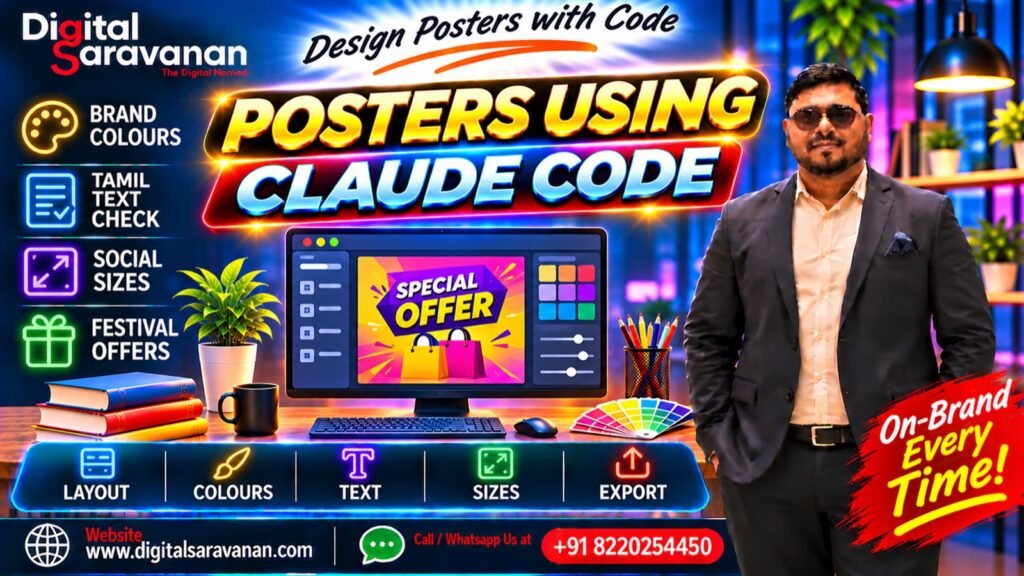
How Do I Create Posters Using Claude Code in Tamil? The Direct Answer
Quick answer: To create posters using Claude Code in Tamil, put your logo, photos and brand colours in a project folder, describe the poster layout in plain words, let Claude Code build it as an HTML or SVG design, export it as an image, and proofread every Tamil letter, date and price before you post. However, Claude does not generate photos the way image tools do, so you bring your own real photos.
Last updated: 10 November 2026 · By Saravanan Thiyagarajan (Digital Saravanan) · Founder & CEO, DigiMonk Agency & Academy · 9-minute read
Every small business needs posters: a Pongal offer, a new batch, a weekend sale, a Deepavali greeting. Most owners either wait for a designer or fight with a template app. Saravanan Thiyagarajan (Digital Saravanan) is the Founder & CEO of DigiMonk Agency & Academy in Chennai, with 10+ years in digital marketing, 250+ clients in 12+ countries and 12,000+ learners trained. Also, he is a digital marketer who builds his own workflows with Claude Code, not a career software engineer. Therefore, this guide shows a code-built poster workflow that keeps your brand the same every time.
Quick Facts: Posters Using Claude Code in Tamil (போஸ்டர் தகவல்கள்)
| Fact | Details |
|---|---|
| Course lesson | First, lesson 13: Posters with Claude Code |
| How the poster is made | Also, as a layout built in code, such as HTML or SVG, from your words |
| Photos | However, Anthropic says Claude doesn’t generate photos or illustrations the way image tools do |
| Your assets | Moreover, you supply the logo, product photos and brand colours |
| Tamil text | In addition, typed text, so you can fix any letter, but you must proofread it |
| Plan needed | For example, Claude Code is not in the Free plan at the time of writing |
| Results | Finally, no promise of likes, reach or sales |
Want to learn this step by step in Tamil? Join Saravanan’s Advanced Claude AI, Claude Cowork and Claude Code Course in Tamil. It has 18 recorded modules (about 5 hours 49 minutes) that cover Claude basics, Projects, Skills, connectors, Cowork and Claude Code projects such as websites, a CRM and Meta and Google ads. The self-paced course is ₹19,999 (listed at ₹50,000), and 21-day one-to-one live training on Zoom is ₹75,000. However, fees can change, so check the course page for the latest price.
Key Takeaways
In short, code-built posters trade magic for control: same brand, editable text and reusable layouts.
- First, prepare a brand kit folder before your first prompt.
- Also, describe the poster in sections: top, middle, bottom.
- Moreover, use real photos of your real product or place.
- In addition, check Tamil spelling, dates, prices and phone numbers every time.
- Finally, save a layout that works and reuse it for the next festival.
Code-Built Posters vs AI Image Generators
Anthropic’s help page on whether Claude can produce images says “Claude doesn’t generate photos or illustrations the way image-generation tools do.” It adds that Claude can build diagrams, charts and interactive visuals with HTML and SVG. Therefore, posters using Claude Code in Tamil work differently from image generators.
| Point | Code-built poster with Claude Code | AI image generator |
|---|---|---|
| How it is made | First, layout, text and shapes written as code | Also, an image created from a text prompt |
| Tamil text | Moreover, real typed text you can correct | However, text inside images may come out wrong |
| Brand consistency | In addition, the same colours and fonts every time | For example, results can vary between runs |
| Photos | Instead, you supply real photos | Finally, it creates new pictures |
In practice, many marketers use both. For example, they create a background image in an image tool and then let Claude Code place the Tamil headline, offer and logo on top. Also, you can explore AI image tools in the best Gen AI course in Tamil guide.
Build a Brand Kit for Claude Code Posters (பிராண்ட் கிட்)
For posters using Claude Code in Tamil, a brand kit is a small folder that Claude Code reads every time. As a result, every poster looks like it came from the same business.
- First, the logo. Add a clean PNG or SVG of your logo.
- Second, colours. Write your brand colour codes in a text file, for example a deep red and a cream.
- Third, fonts. Pick one Tamil-supporting font, such as Noto Sans Tamil, and one English font, and test them.
- Fourth, photos. Add real product, shop or team photos you have permission to use.
- Fifth, contact block. Write your phone, WhatsApp, address and website exactly once.
- Finally, rules. List what never changes, such as logo position and minimum text size.
Also, you can turn these rules into a Skill so Claude follows them automatically. The Claude Skills tutorial in Tamil explains how Skills work, so this page does not repeat those steps.
Step-by-Step Workflow for Posters Using Claude Code in Tamil
This is the shape of the lesson 13 workflow. However, install steps live in the Claude Code tutorial in Tamil, so start there if Claude Code is new to you.
- First, open your poster project folder with the brand kit inside.
- Second, describe the poster. For example: “Square poster. Top: logo right, Tamil headline ‘பொங்கல் சிறப்பு சலுகை’. Middle: product photo saree1.jpg with 20% off badge. Bottom: valid till 20 January, WhatsApp number, website.”
- Third, review the plan. Claude Code asks before most file edits in its default mode, according to the official permission modes page, so read what it proposes.
- Fourth, preview the poster in your browser on a computer and on a phone.
- Fifth, request changes in words. For example, “make the headline bigger and move the badge to the top left.”
- Sixth, export the image. Ask Claude Code to set up a simple way to save the design as a PNG, and then check the saved file.
- Finally, proofread and approve before you post or send it to a client.
Want to learn this step by step in Tamil? Join Saravanan’s Advanced Claude AI, Claude Cowork and Claude Code Course in Tamil. It has 18 recorded modules (about 5 hours 49 minutes) that cover Claude basics, Projects, Skills, connectors, Cowork and Claude Code projects such as websites, a CRM and Meta and Google ads. The self-paced course is ₹19,999 (listed at ₹50,000), and 21-day one-to-one live training on Zoom is ₹75,000. However, fees can change, so check the course page for the latest price.
Tamil Text Accuracy on Posters (தமிழ் எழுத்துப் பிழை சரிபார்ப்பு)
Tamil text is where posters fail most often. A broken letter, a missing pulli or a wrong vowel sign makes a business look careless. Therefore, posters using Claude Code in Tamil need a strict text check.
- First, type the Tamil headline yourself or paste it from a trusted source.
- Also, check that the font shows every letter correctly, including combined letters.
- Moreover, read the poster aloud, line by line, on the final exported image.
- In addition, ask a second native reader to check festival greetings.
- Finally, compare dates, prices and phone numbers with your original offer note.
Because the text is real typed text, fixing a mistake takes one sentence to Claude Code. However, the check itself stays human.
Social Media Sizes for Posters Using Claude Code in Tamil
Different places need different shapes. For example, a feed post, a story and a WhatsApp status may each need their own layout. Therefore, ask Claude Code to build each poster at a fixed size you choose, and keep important text away from the edges.
Also, platforms update their recommended sizes, so check the current official guidance from Meta, WhatsApp or the platform you use. In practice, design one master poster first and then ask Claude Code to adapt it to each shape, so the message and brand stay the same.
Festival and Offer Posters Using Claude Code in Tamil
| Occasion | Poster idea | Watch out for |
|---|---|---|
| Pongal | First, kolam border, sugarcane icon and the offer | Also, the correct Tamil greeting spelling |
| Deepavali | Moreover, lamp motif with a festive sale | However, firecracker imagery near your product may not suit every brand |
| New batch or class | For example, start date, timing and fee | In addition, a fee that matches your current price |
| Weekend sale | Instead, one big number and a clear end date | Finally, an end date that is still in the future |
In addition, keep the offer honest. Posters using Claude Code in Tamil can look professional quickly, which makes a wrong price spread faster too.
Review Checklist for Posters Using Claude Code
Run this list before every poster goes out.
- First, is the Tamil spelling correct on the exported image?
- Also, are the date, price and phone number right?
- Moreover, is the logo in its usual place and size?
- In addition, are the photos real and used with permission?
- Therefore, is the text readable on a small phone screen?
- For example, does the offer match the landing page or shop counter?
- Finally, did the client or owner approve it in writing?
Mistakes to Avoid With Posters Using Claude Code in Tamil
- No brand kit. Instead, set up colours, fonts and logo before the first poster.
- Expecting Claude to draw photos. Instead, supply real photos or use a separate image tool.
- Skipping Tamil proofreading. Instead, read every letter on the final image.
- Too much text. Instead, keep one headline, one offer and one call to action.
- One size for every platform. Instead, adapt a master design to each shape.
- Using images without permission. Instead, use your own photos or licensed ones.
More Guides on Claude in Tamil
- First, read the Claude AI course for digital marketers in Tamil.
- Also, install Claude Code with the Claude Code tutorial in Tamil.
- Moreover, save brand rules with the Claude Skills tutorial in Tamil.
- In addition, explore the Claude Code course in Tamil.
- For example, see the best Gen AI course in Tamil.
- Finally, check Claude AI course fees in Tamil.
Frequently Asked Questions
How do I create posters using Claude Code in Tamil?
Prepare a brand kit folder, describe the poster layout in words, let Claude Code build it in code, export it as an image and proofread every Tamil letter. Also, review each change Claude Code proposes.
Can Claude generate poster images?
Anthropic says Claude doesn’t generate photos or illustrations the way image-generation tools do. Instead, it can build visuals with HTML and SVG, and you add your own photos.
Will the Tamil text be correct?
Usually it is typed text, so you can fix any error quickly. However, always proofread the final image, because fonts and combined letters can still go wrong.
Do I need design skills?
No. You describe the layout in plain words. Moreover, a simple brand kit does most of the design work for you.
Do I need a paid plan?
Claude Code is not included in the Free plan at the time of writing, according to the Claude pricing page. Plans change, so check the official page.
Can I make posters for clients?
Yes, if you use the client’s approved brand assets and get written approval for each poster. Also, never use photos without permission.
Will these posters increase my sales?
Nobody can promise likes, reach or sales. Instead, clear, honest and correct posters help your message land.
Is Digital Saravanan affiliated with Anthropic?
No. Digital Saravanan is an independent trainer and is not affiliated with, endorsed by or certified by Anthropic. Claude, Claude Code and Claude Cowork are Anthropic products, and this page uses the names only to describe the training.
Want to learn this step by step in Tamil? Join Saravanan’s Advanced Claude AI, Claude Cowork and Claude Code Course in Tamil. It has 18 recorded modules (about 5 hours 49 minutes) that cover Claude basics, Projects, Skills, connectors, Cowork and Claude Code projects such as websites, a CRM and Meta and Google ads. The self-paced course is ₹19,999 (listed at ₹50,000), and 21-day one-to-one live training on Zoom is ₹75,000. However, fees can change, so check the course page for the latest price.
Final Verdict: Posters Using Claude Code in Tamil
In short, posters using Claude Code in Tamil give you control: your brand kit, real photos, correct Tamil text and a layout you can reuse for every festival. Also, Claude does not paint photos, so pair it with real images or a separate image tool.
Finally, if you want to learn lesson 13 step by step in Tamil, join Saravanan’s course below.
About the Author
Saravanan Thiyagarajan, known as Digital Saravanan, is the Founder and CEO of DigiMonk Agency & Academy in Chennai, India. He has 10+ years of digital marketing experience, has worked with 250+ clients in 12+ countries and has trained 12,000+ learners, mostly in Tamil and English.
In addition, he uses Claude daily for content pipelines, Claude Projects, Skills and automation workflows, and he wrote the Tamil prompt-engineering book “AI உடன் பேசும் கலை”. Learn more on the About Digital Saravanan page, or WhatsApp +91 8220254450.